Background
Kora, formerly Korapay, lets African businesses collect and send money by bank transfer and card. It competes with Paystack and Flutterwave, so trust and speed of setup decide who wins a merchant. I joined as a product designer and left as a senior product designer. Over three years, as Kora grew from early startup to profitable company, I designed the checkout, merchant onboarding and the tools merchants used to track their money. I also created Kora’s first design system. One question ran through all of it: does this person know where their money is?
What’s the impact?
- Support tickets about payment instructions fell about 43%, from 4.2 to 2.4 per 1,000 checkouts
- Checkout success went from 38% to 59%, and customers who came back after a failed payment from 42% to 67%, as a team result
- Over 1,000 merchants had used the settlements tool I designed by the time I left, and monthly active merchants rose about 15% after the onboarding rebuild
- Over $100m had gone through the checkout by November 2021
- Kora processed $300M+ while I was there. It has since passed $1B.
What’s the problem?
For its first six months, Kora’s checkout only took bank transfers. Over a million transactions had gone through it, and as volume grew, the share that succeeded kept falling.
- of unique customers’ payments went through
- 38%
- came back after a failed payment
- 42%
- lost each week on returning customers
- $1m+
The team wanted to add card payments. Adding a second way to pay on top of a flow that was already failing would only spread the problem, so I started with why people dropped off.
Is this a real problem?
Mixpanel tracked every unique transaction, so with the product and data team I could see where people dropped off, and customer feedback backed it up. I also put competitors’ checkouts through the same failures to see how they handled them. Three things stood out:
- “I have made this payment” had become a barrier. Many failed transactions came after someone tapped it without sending any money. With the limits of the payment API, each tap clashed with the signal that told us whether the money had arrived, and someone had to resolve it by hand.
- A few kobo could fail a payment. Sending NGN 1,000.00 instead of NGN 1,000.02 was enough to fail a transfer. Flutterwave avoided this by rounding up to the whole naira.
- People missed the details that mattered: that the account number expired after an hour, and that they had to send one transfer, not several. Our third-party integrations meant an expired transfer also had to be resolved by hand, so those details had to be clear without getting in the way of sending money.
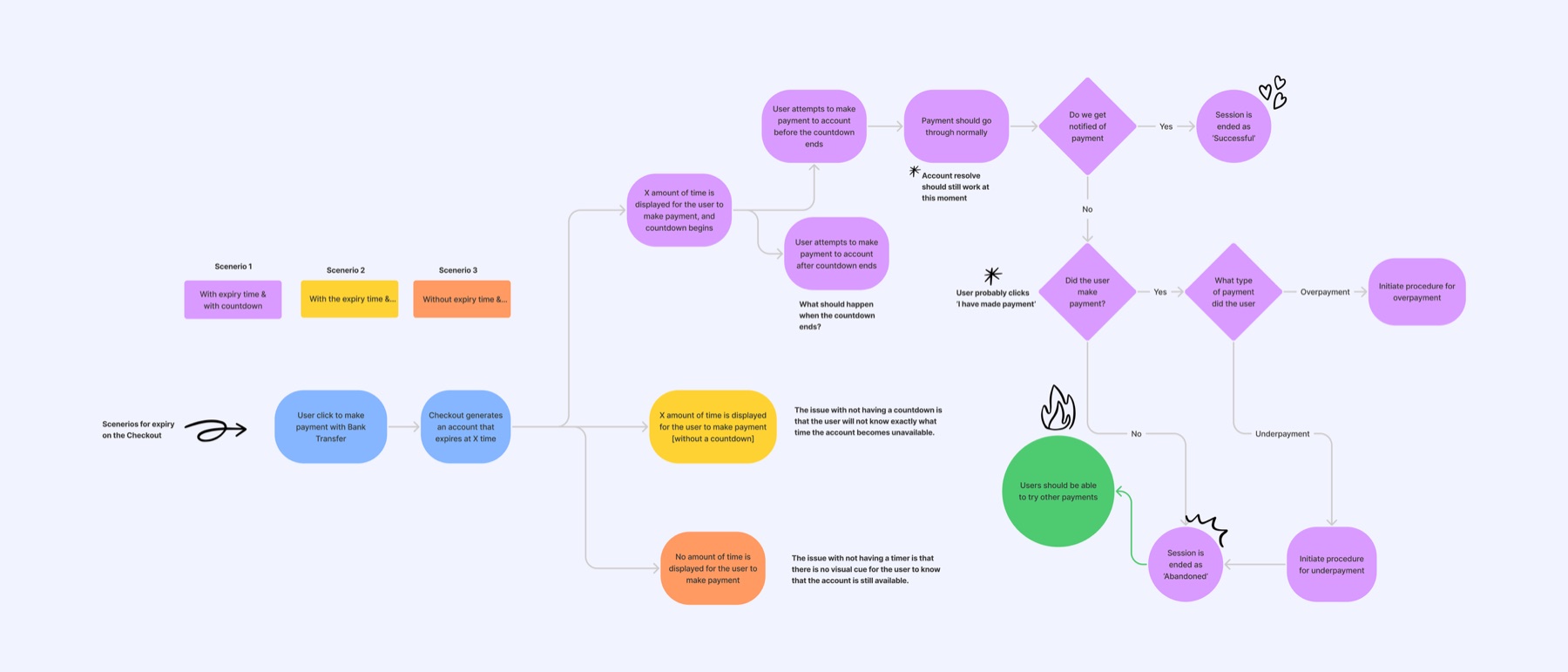
I mapped every way a transfer could end. There are four, and each needed its own clear message:
- Paid: the payment is confirmed.
- Overpaid: we refund the difference.
- Underpaid: you top up, and the session stays open.
- Abandoned or expired: you try again another way.
Challenges
- The button people expected was the one breaking the checkout. “I have made this payment” is a familiar step when you pay by transfer, and many failed transactions started with it.
- Nobody could say why each onboarding field was there. Some were regulation, some were habit, and some could move, but nothing said which.
- Merchants needed faster settlements, and they weren’t on the roadmap.
What did we ship?
A checkout that shows where your money is
I narrowed the fix to two flows and tested both with colleagues and a small group of customers.
- Good: Familiar: people expect to say they have paid
- Good: People feel involved at the moment they send money
- Not so good: Every tap still set off a check that clashed with the payment signal
- Not so good: The button’s own flow of wait times and help screens stays
- Good: We check on our end, so the customer doesn’t have to
- Good: Nothing competes with the signal that the money has arrived
- Good: About 72% fewer steps
- Not so good: A rushed person could send money and miss the screen saying we were watching for it
Because we couldn’t check a transfer in real time, the button had grown its own flow of wait times, help screens and support links. People tapped through it whether or not they’d paid, so we removed the button and most of that flow with it.
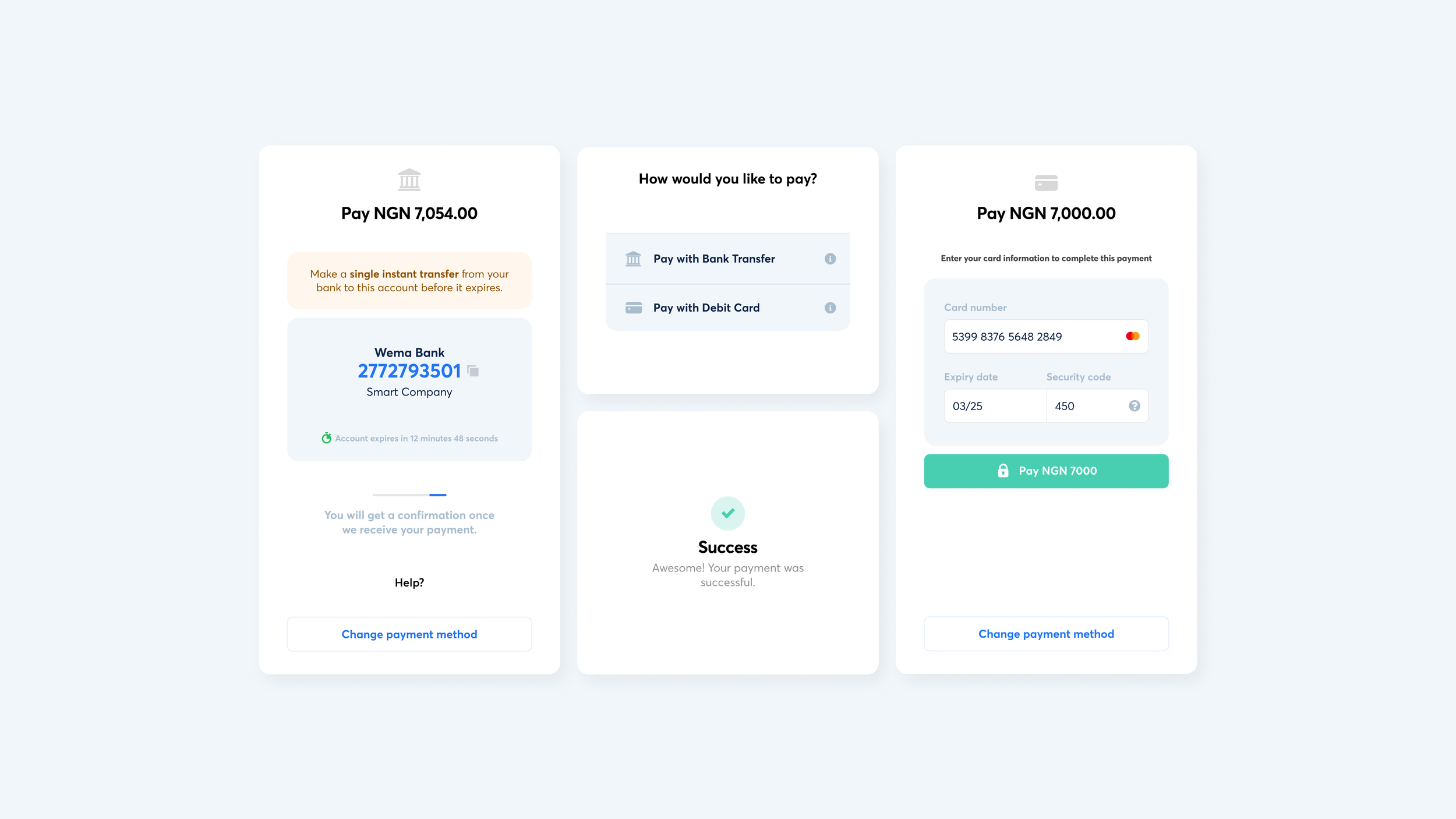
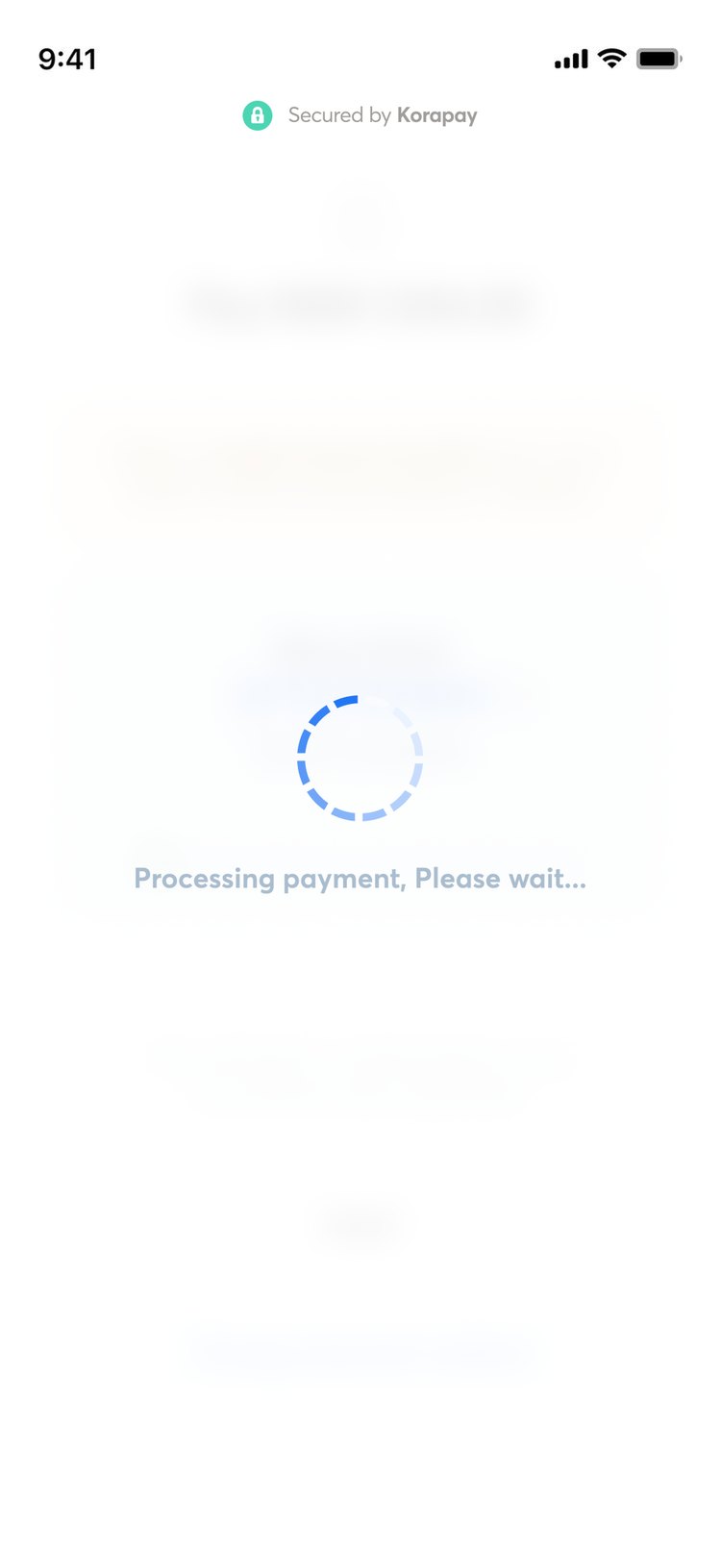
The principle was to get out of the customer’s way and do the checking on our end. A short loader showed while we confirmed a transfer, only the help people still needed stayed, rewritten to be clearer, and every screen said what you owe, how to pay, how long you have, and whether it worked.
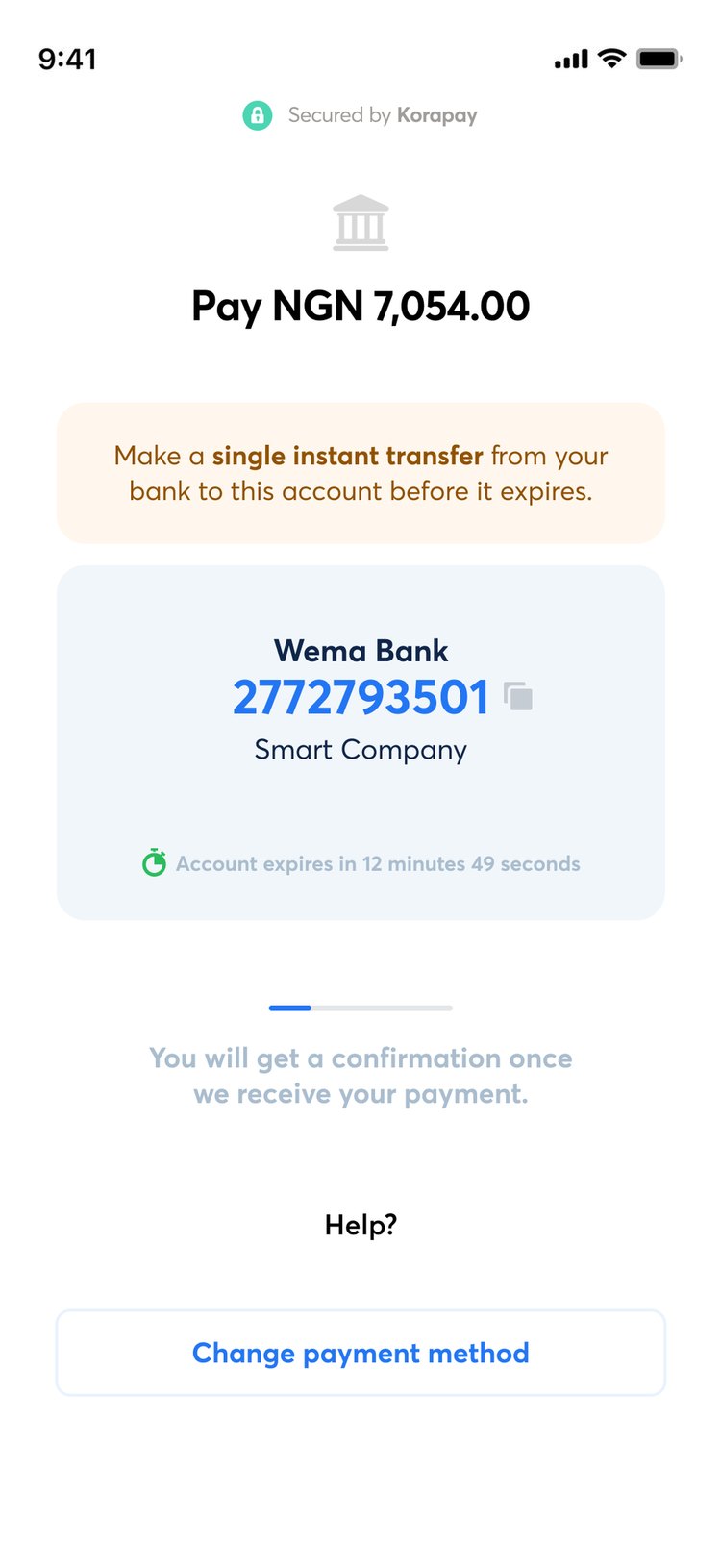

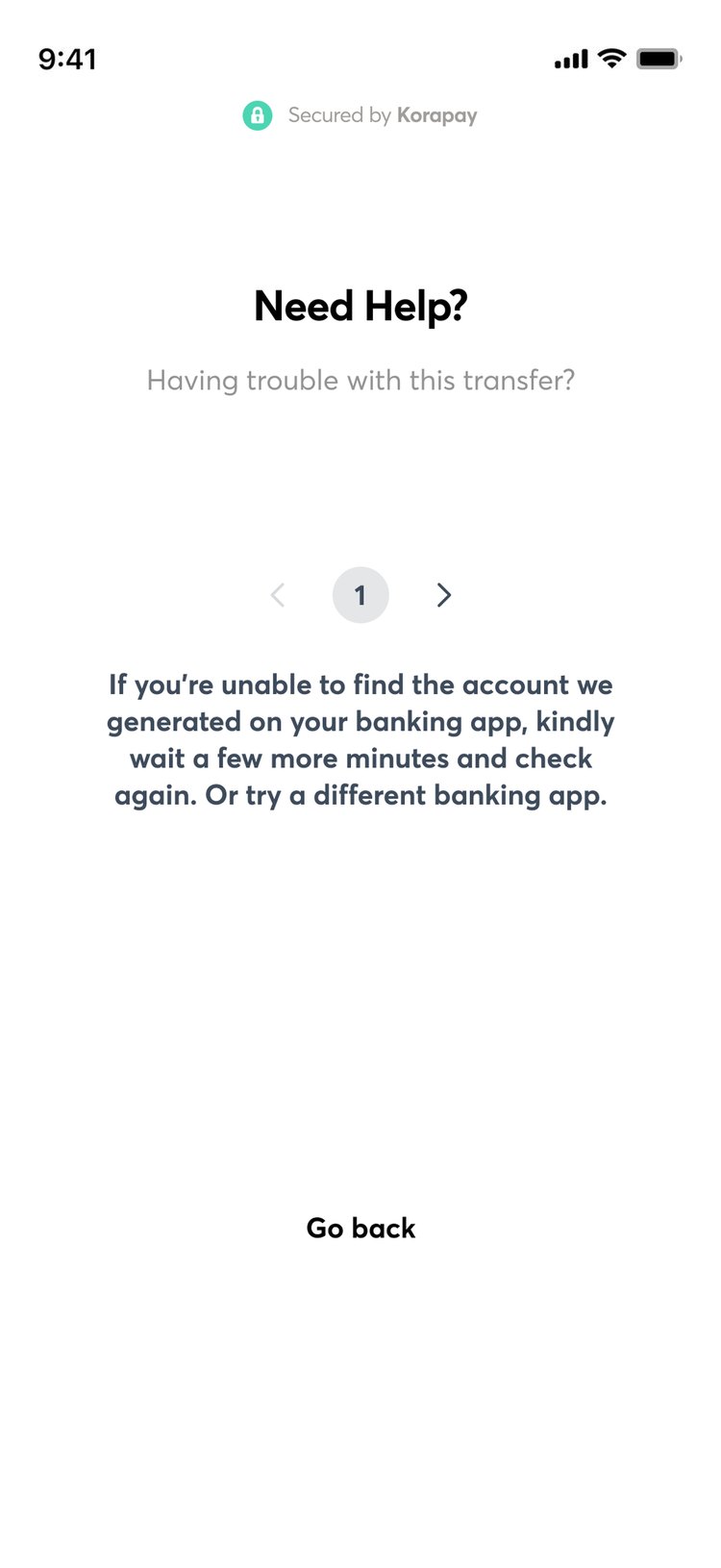
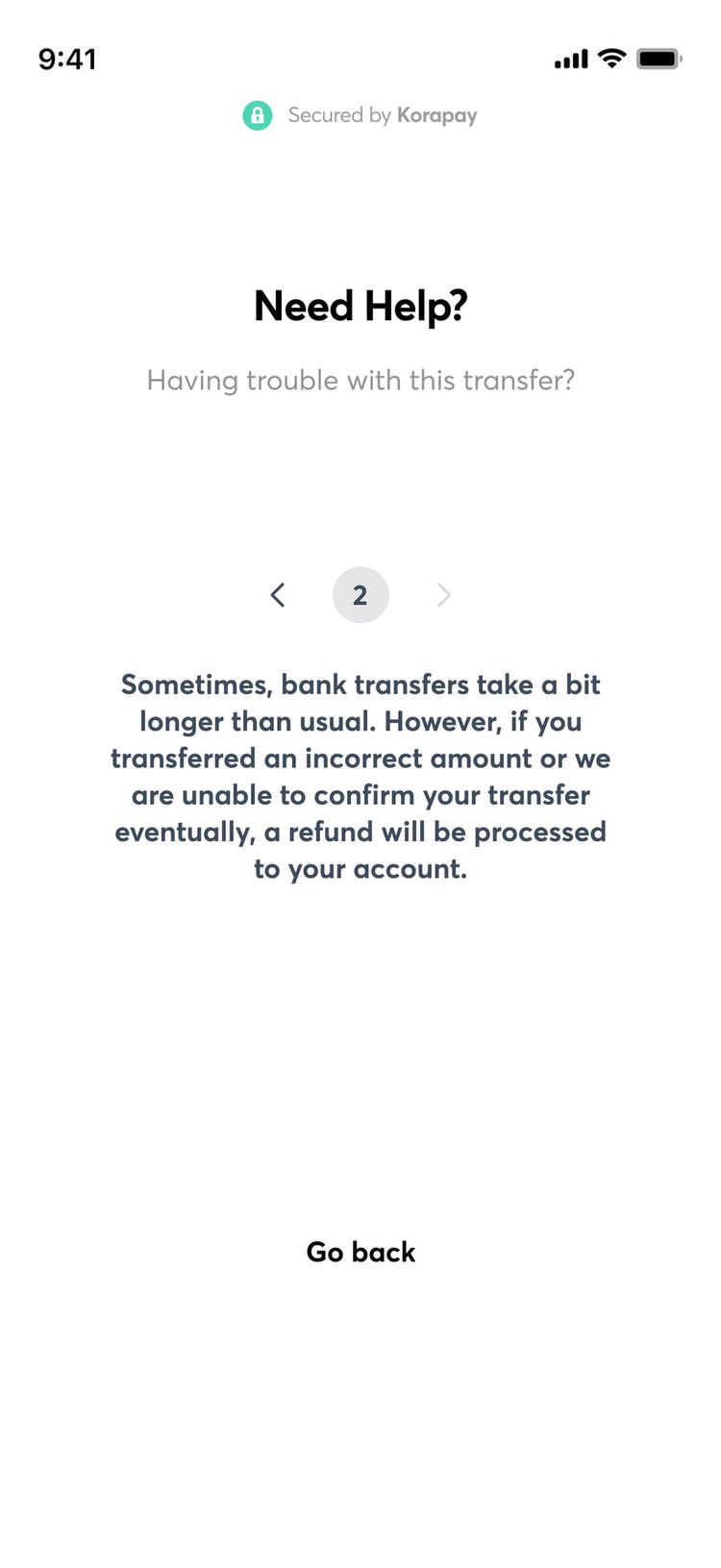
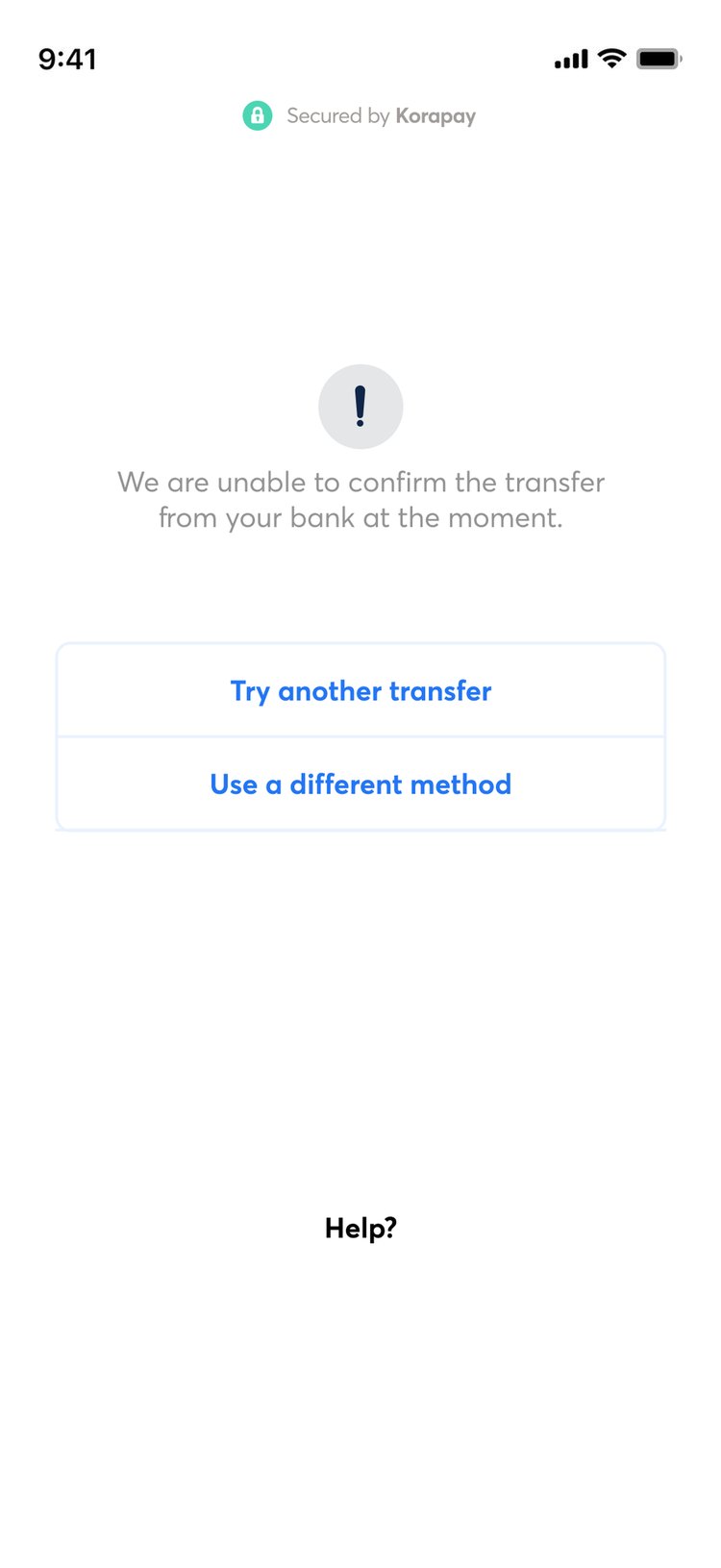
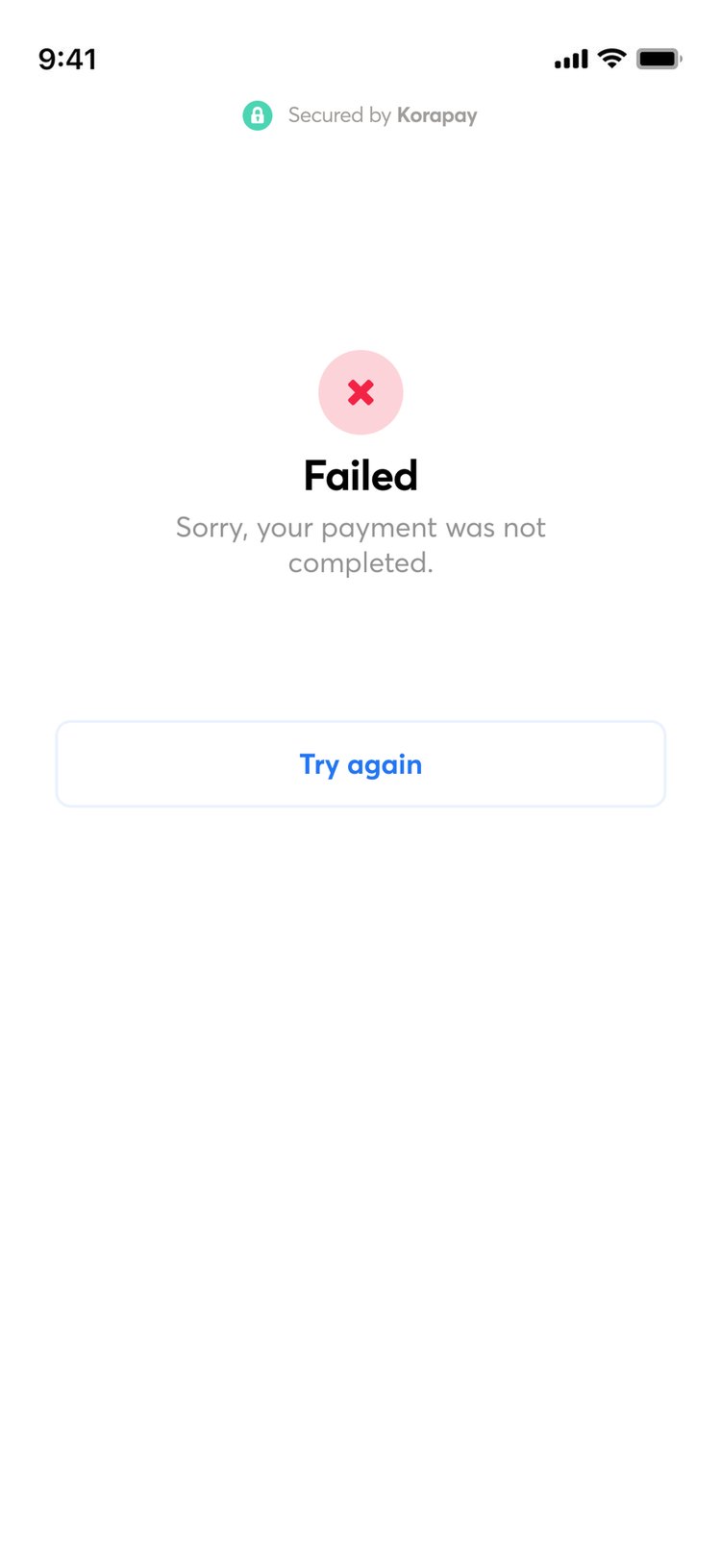
We also rounded every amount up to the whole naira, so a few kobo could no longer fail a payment, gave the account’s expiry more weight, and cut the transfer details down to what people needed.
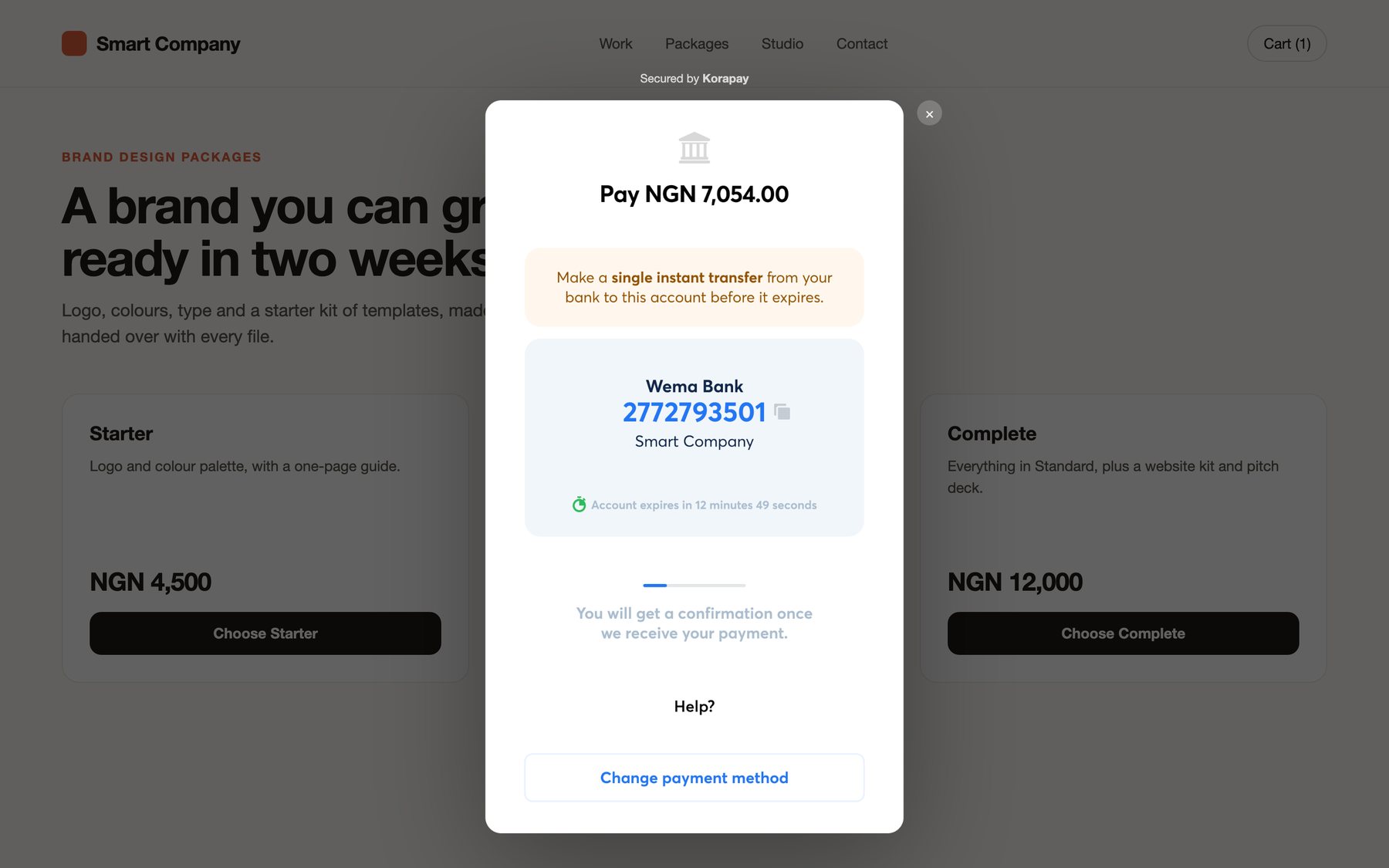
A few months after the new checkout launched, engineering fixed the stuck payments, and transfers could be verified instantly. The button never came back: by then customers were used to a checkout that did the checking for them. With transfers working, we started adding card payments too.
Settlements, run by hand first
Faster settlements weren’t on the roadmap, so rather than wait, the CEO and I ran them by hand: a Google Form for requests, a spreadsheet to track them, and WhatsApp to tell merchants where their money was. Twenty to thirty merchants used it for about three months.
Merchants settling into stablecoins wanted a test transaction before the real one, because you can’t check a wallet address the way you check a bank account. So the tool I then designed to replace us had a one-dollar test step before any large transfer. It shipped, and over 1,000 merchants used it.
Set up, then see your money
A merchant can’t see their money until they’re through sign-up, and ours was long. I went through it field by field with engineering, operations and compliance, and asked which regulation needed each field. Several had none, and others could move to later. Monthly active merchants rose about 15% after the rebuild.
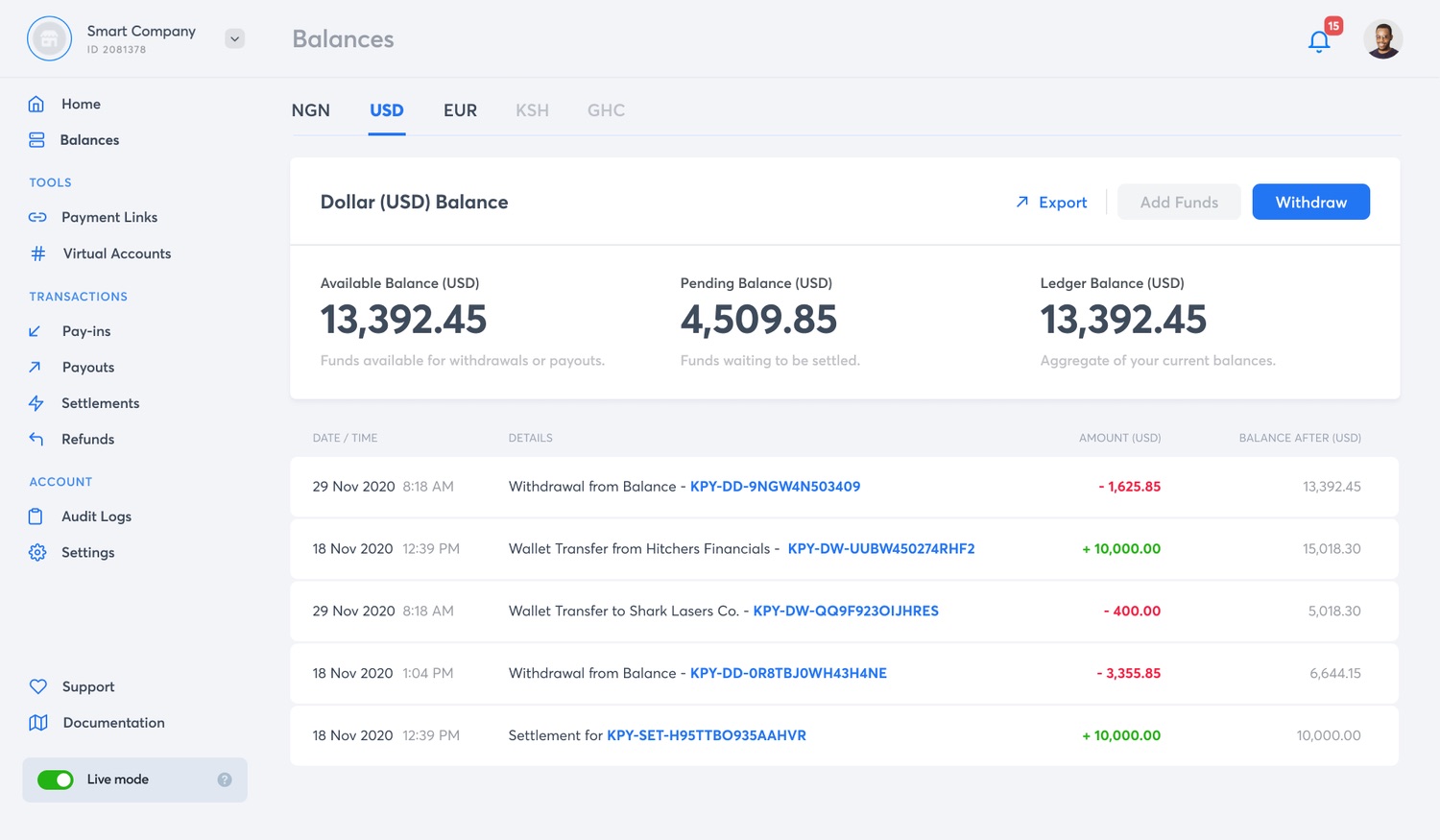
For the dashboard, I interviewed merchants of every size, from a single seller to Binance. Small merchants needed it to feel simple. Large ones needed virtual accounts, several currencies, payment links and detailed records. I put the most important number first on each screen and kept the deeper tools one step away. Kora also had no payment links while Paystack and Flutterwave did, so a merchant without a website couldn’t take a payment at all. We shipped them.
How did we do?
Failed payments from people sending several transfers instead of one fell from about 8% to 5%. And more people gave the checkout a second chance: after a failed payment, 67% came back, up from 42%.
The jumps in success and in customers coming back came from three things together: the engineering fix that resolved stuck payments automatically, the new card payments, and the clearer checkout without the “I have made this payment” button. The engineering fix solved most of the hard failures. The ticket and split-transfer numbers are the part I’d call design’s.
Nothing is quite final
After onboarding shipped, a new wave of higher-risk merchants needed more documents. Compliance and operations wanted the business owner’s ID earlier. I had moved it later, because small businesses often didn’t have it to hand.
I proposed a conditional flow instead, and we worked it out with compliance and operations. A merchant filled in a business profile first, and their answers decided whether owner verification could wait. Unverified merchants could take payments but not withdraw or pay out, and a limit applied after that. The ID was still required. It just came later for the merchants who could safely wait.
Takeaways
- “I have made this payment” was what people expected, and with our API’s limits it was the step breaking the checkout. Familiar isn’t automatically right, so check a pattern against your own system before keeping it.
- Running settlements by hand for 20 to 30 merchants taught us what no spec would have, like the one-dollar test step. Do the manual version first, then build what it shows you.
- Compliance wanted the owner’s ID earlier, and the answer was moving it, not removing it. Before arguing about a requirement, ask which rule needs it, and when.
- Unverified merchants could take payments but not withdraw them. That control is what made removing the friction responsible, so design the safeguard with the shortcut.