Overview
Inga was social bookmarking: save anything from the web, keep it in collections you can edit, and share them. I made it in 2022 with Abdul Shakur Suleiman, for ourselves first and for everyday heavy browser users who bookmark everything. I led design for Inga’s browser extension, web app and monthly digest.
What’s the impact?
- Everything here went live: the extension, the web app, the monthly digest, sharing with roles, comments and reactions
- A few hundred people used it
What’s the problem?
Heavy browser users save a lot and come back to very little. A bookmark keeps a link and loses why it mattered: no note, no tags, nothing to bring it back. Open tabs pile up as a to-do list nobody finishes, and sharing a set of links means pasting them into a chat one by one.
What did we ship?
Save without leaving the page
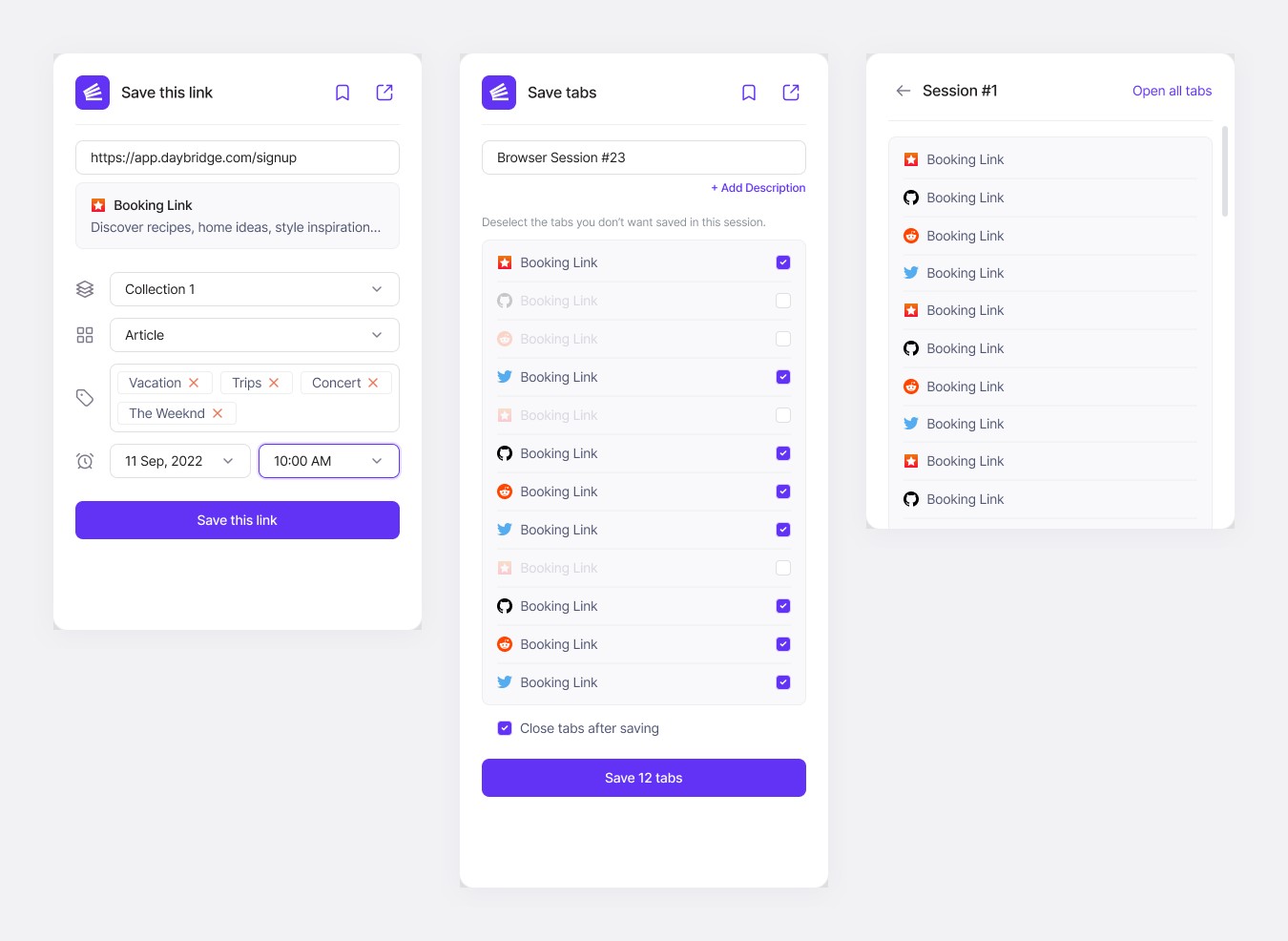
The extension saves where you already are: one link with its collection, type, tags and an optional reminder, or every open tab as a session. Untick the tabs you don’t need, choose whether to close them, and save. A session opens again with one click. The web app has the same save, with collections, tags and a reminder.
Bring saves back
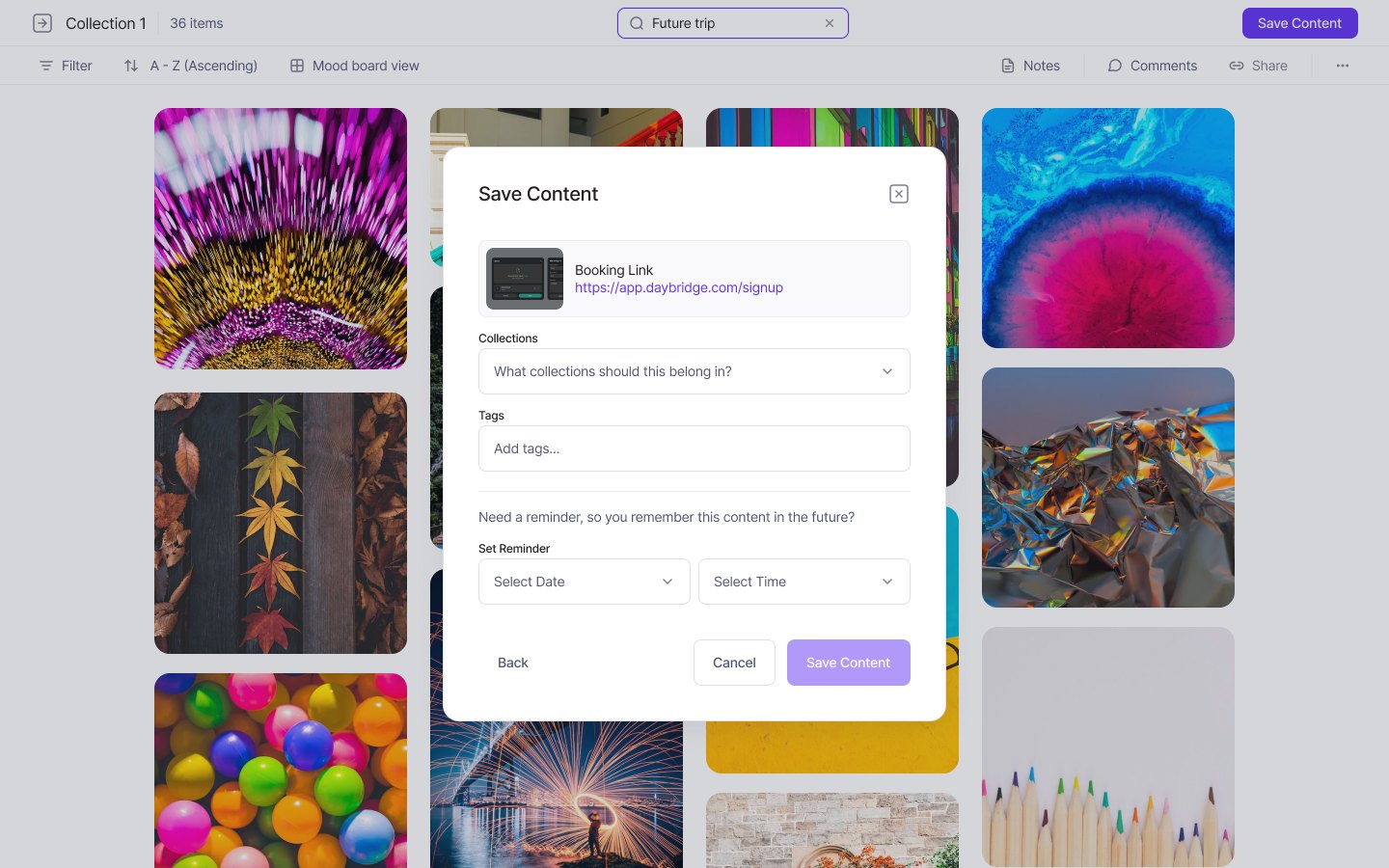
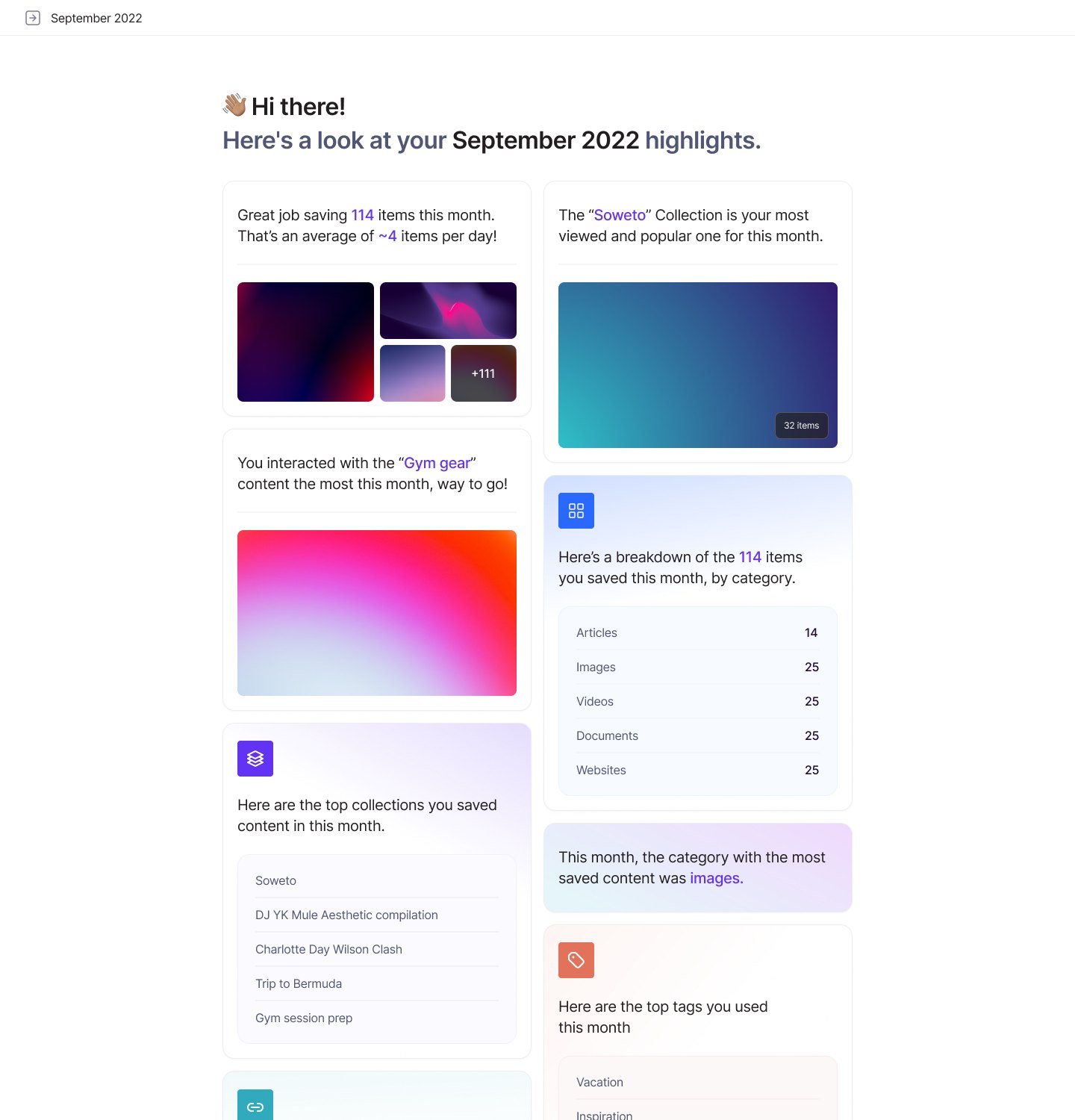
A reminder brings a save back when it’s due, and its page shows the date along with your notes and comments. Once a month, a digest email shows how much you saved, your most viewed collection, your top collections and tags, and what you saved most of.
Collections you can share
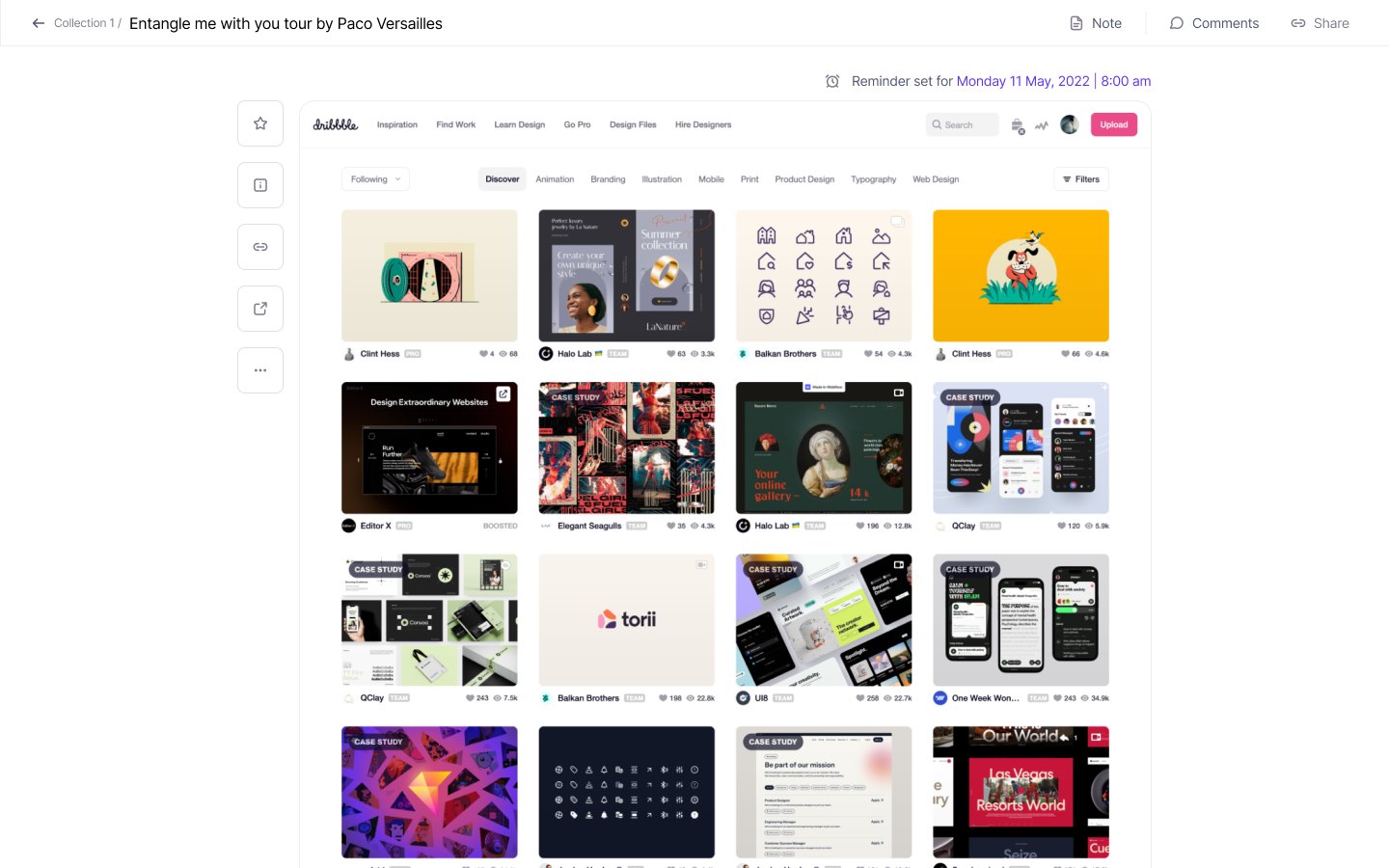
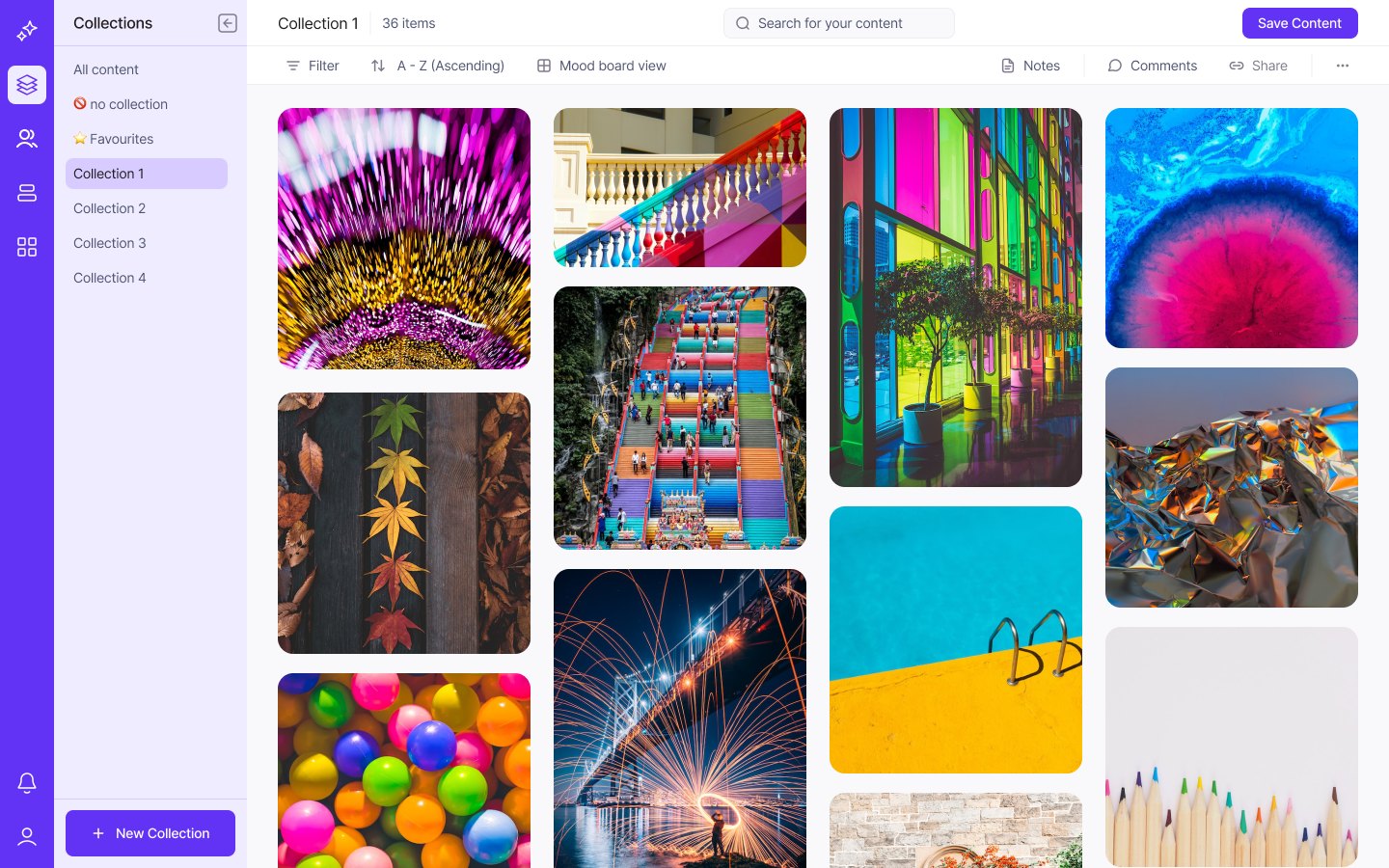
Collections are mood boards you can filter, sort and search.
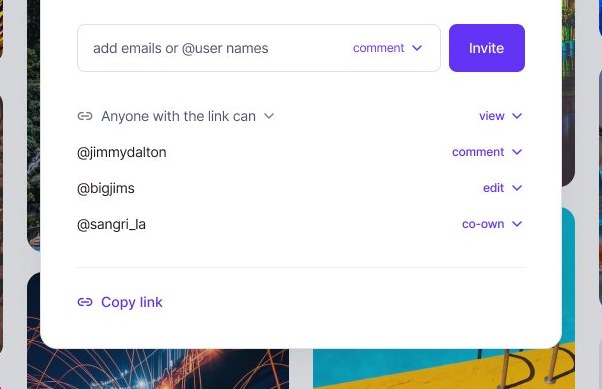
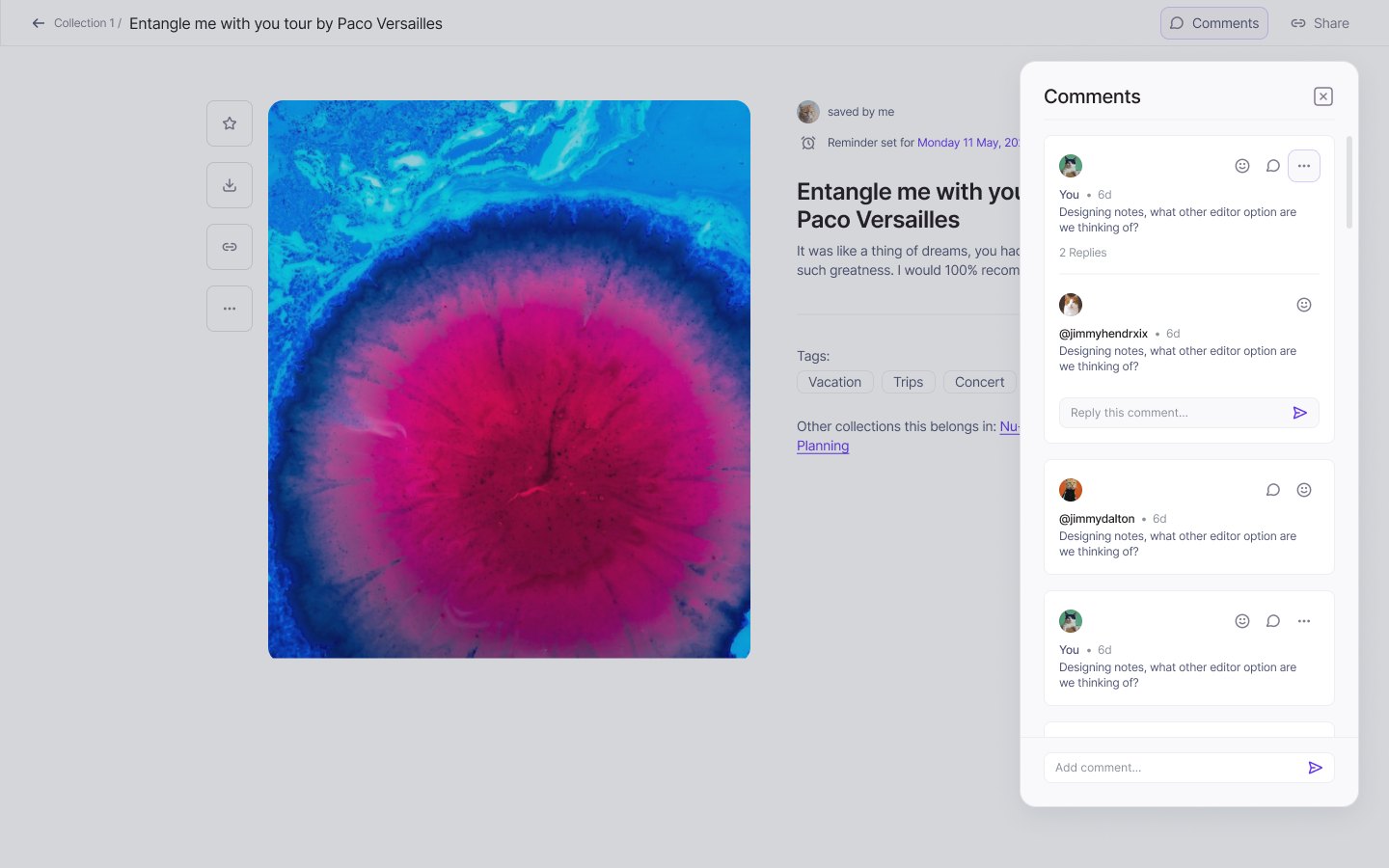
Share one by email or username, with a role for each person: view, comment, edit or co-own, or with anyone who has the link. Comments sit on the saved item itself, beside its tags and the other collections it belongs to, with replies and reactions.
Why it stopped
We started Inga for fun, and a product a few hundred people use needs steady hours from both of us. When we both got busy, we didn’t have them.
Takeaways
- A save only pays off when it comes back. Design the way back, the reminders and the digest, with the same care as the save.
- Decide early, together, whether a project is for fun or for real, and agree the hours it needs. AI tools now carry much of a build, as they do on Yada, but they don’t make that decision for you.