The missing executive function layer between intention and action.
Rivva was an external executive function system for adults with ADHD and executive dysfunction. It helped them move from overwhelm to the next doable action, and replan without shame when the day fell apart. I co-founded it, led design and operations, and shipped it across iOS, Android, web and a browser extension.
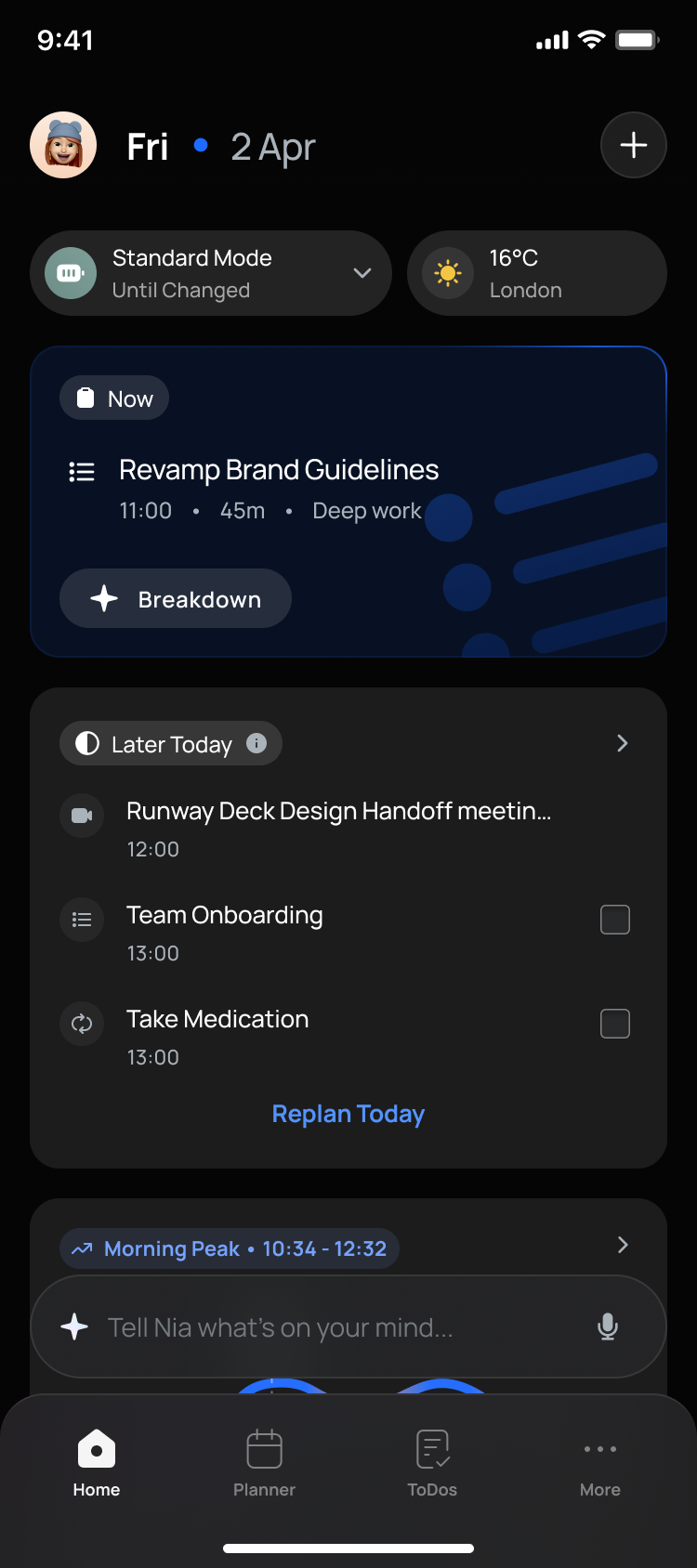
Rivva did not start as an ADHD product. It began as a productivity and planning tool built around energy: structuring your day around your energy baseline and circadian rhythm, so you spend effort when you actually have it instead of fighting a flat to-do list. When the strongest signals in our funnels came from people with ADHD and executive dysfunction, we focused the whole product there, and that changed what Rivva was: not another place to store tasks, but an external executive function system for people whose ability to plan, prioritise, start and recover is inconsistent.
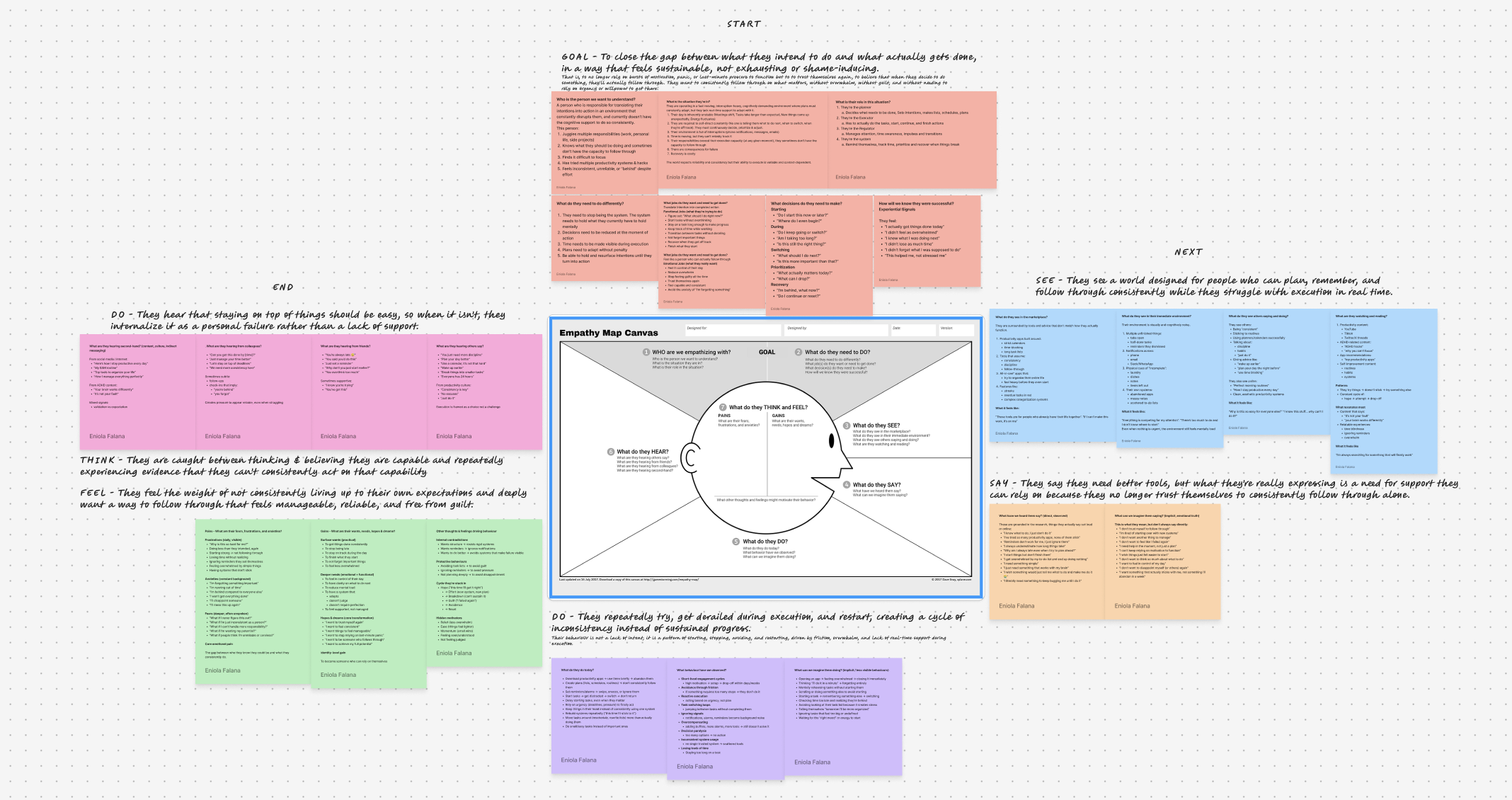
For that user, the problem is not motivation. Executive dysfunction is linked to working memory, planning, inhibition and time management, and traditional tools make it worse: when an app asks you to sort, prioritise, schedule and categorise everything yourself, it adds to the overload. Rivva was built for the opposite reality, uneven energy, time blindness, task paralysis and frequent restarts.
I grounded the product in four inputs: executive-function and behavioural science, cognitive-load theory, community research from ADHD forums and Reddit, and discovery with our own early users. To go deeper on the science, I worked with a professional in human behaviour and psychology to pressure-test what was going on beneath the symptoms and where a product could realistically help. Recent HCI research on ADHD task management pushed the same way we were leaning: existing tools assume linear time and consistent self-regulation, while ADHD task management is emotional, nonlinear, and needs scaffolding and co-regulation.
The insight that reframed the product: people rarely have a capture problem, they have a follow-through problem. Getting things out of your head still matters, but another inbox to fill isn't the win, so the goal became minimum setup, maximum follow-through, and a hard aversion to categories, colour-coding, settings and feature bloat that ask for effort before giving anything back.
Reddit was useful because people describe the problem in raw, practical language. Five findings turned directly into product decisions:
| What people told us | What we built |
|---|---|
| A to-do list alone does not solve task paralysis. People know the task and still can't start. | → Prioritise the next doable action over long lists. |
| Getting it out of the head reduces overwhelm. Externalising beats holding it mentally. | → Near-frictionless capture: voice, quick capture, talk to Nia. |
| People break work into very small chunks, smaller than typical advice. | → Nia breaks vague tasks down automatically. |
| Emotional safety matters. Missed tasks bring guilt, shame, self-blame. | → Non-judgemental language for misses, resets and reminders. |
| The system must support restarting. Once the day derails, people abandon the plan. | → A visible reset and replan on the home, led by Nia. |
By the surface numbers, the period I worked on Rivva looked healthy: users grew from 394 to 711, paying users from 21 to 102, MRR from about $246 to $1,011, and trial to paid from 18.5% to 23.5%. But one number moved the other way. Activation fell from 56.76% to 50.20%. Some of that dip was mechanical: growing the base from 394 to 711 pulls newer, colder users into any rate. But the drop made me look harder, and the real problem was not the decline itself, it was that this activation metric barely predicted whether someone actually stayed. It counted setup, not the behaviours that led to retention. So instead of taking the growth as a win, I went into our own data to find what did predict staying. Two behaviours stood out:
These were predictors, not proven levers. People who did them were already more engaged, so I read them as signals to design toward, not causes I could bank on.
So I redefined activation around the behaviours that actually predicted retention, creating a first task, connecting a calendar, and using Plan My Day, and rebuilt onboarding to drive straight at them instead of at generic setup.
What I chose, and what I gave up. I cut the preference screens and rebuilt onboarding to drive straight at one completed task and a connected second calendar. I gave up the polished, personalized first impression, betting that for this audience a small early win matters more than a tailored setup. Designing to a signal in our own data, rather than a guess, is the part of this project I am most proud of.
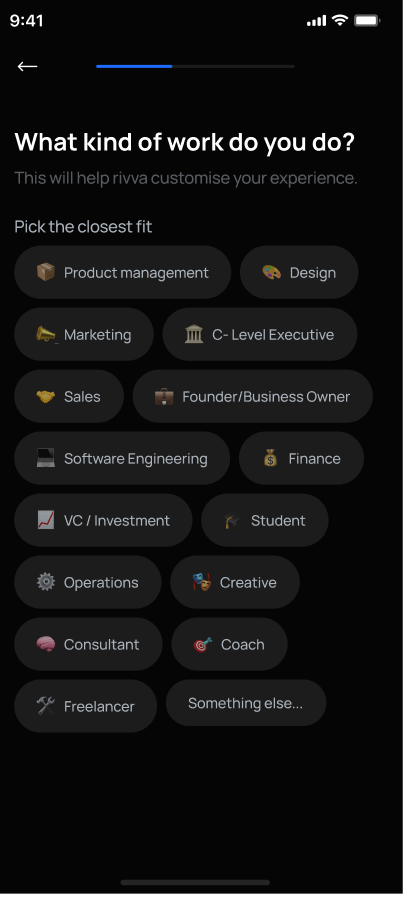
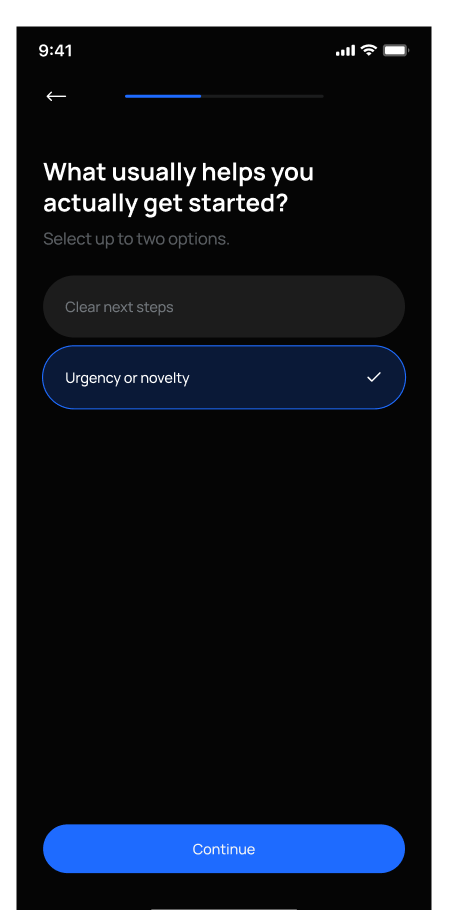

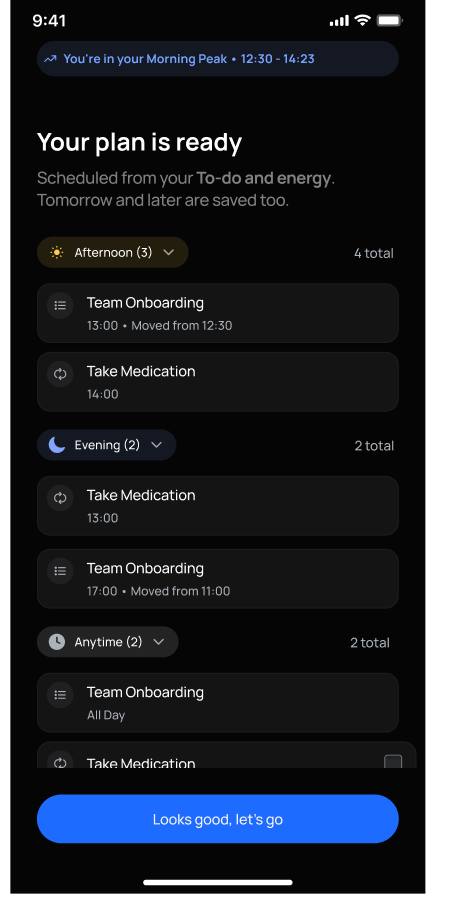
Cut from the actual flow files: the v1 questionnaire I removed, and the v2 rebuild that drives straight at a connected calendar and a first finished plan.
Did it work? Honestly: directionally. After the rebuild, early cohorts trended better on activation and retention. But this was a before-and-after cohort comparison, not a controlled A/B test, so I hold it as an improvement associated with the change, not proof the design alone caused it. I think naming that distinction matters more than a cleaner-looking number would.
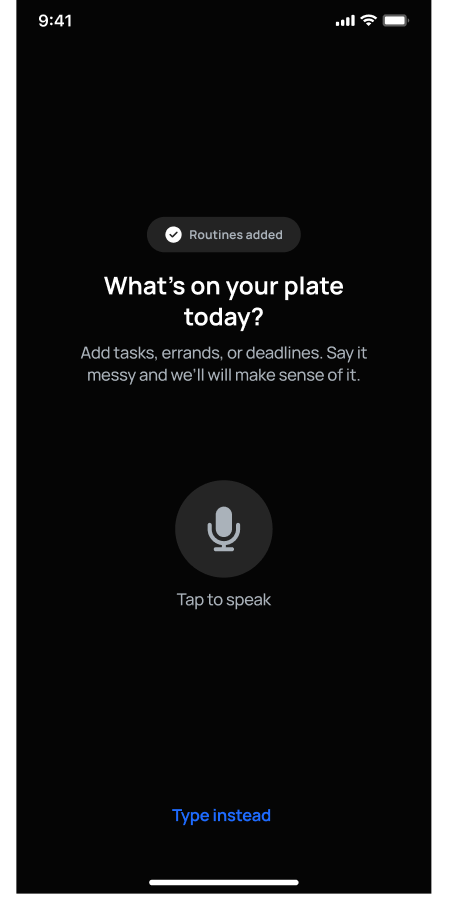
The research was clear that the first job is not storage, it is externalising. Holding tasks in your head is the overwhelm. So the daily loop starts at capture, and capture had to cost almost nothing: type a line, or just talk. Nia takes it from there, so a messy brain-dump becomes structured tasks without you having to sort, estimate or categorise anything first.
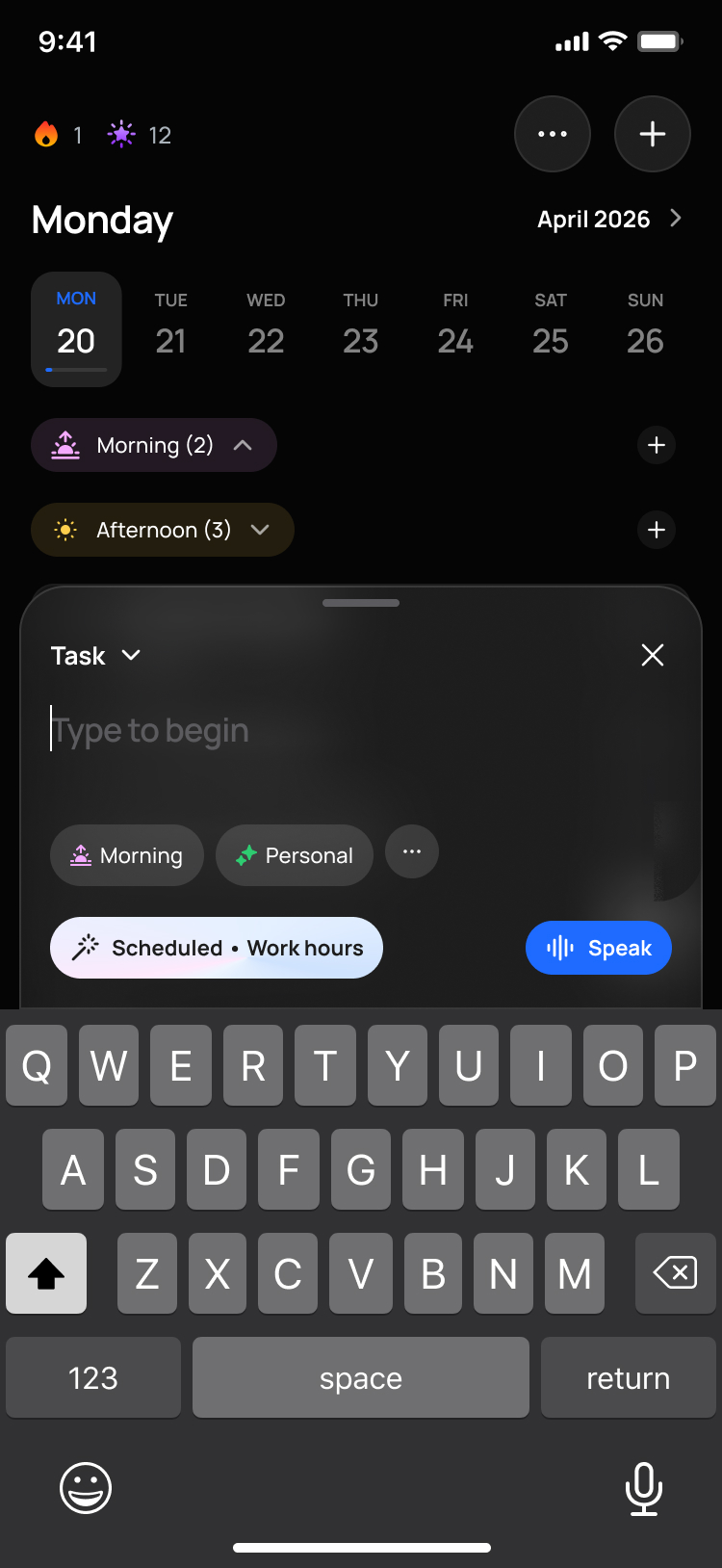
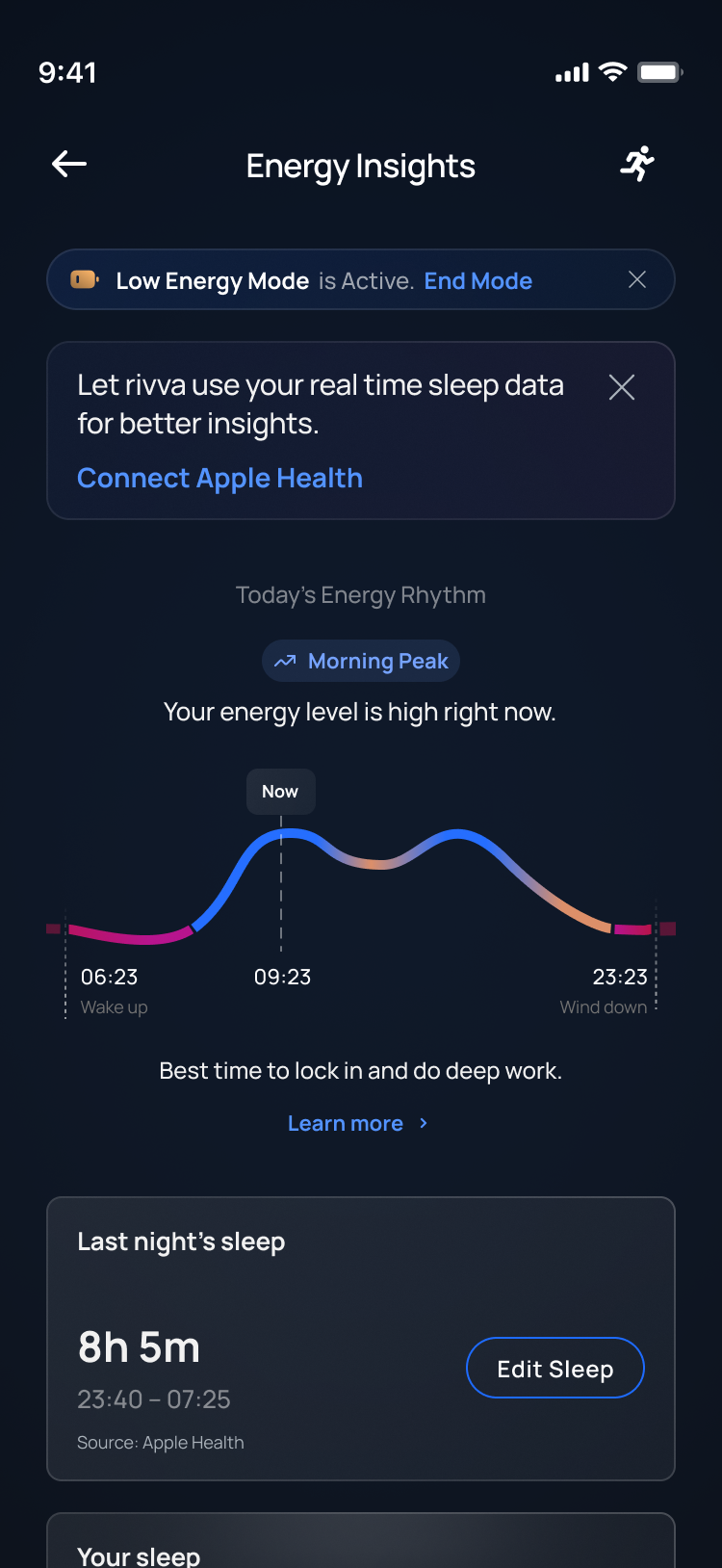
Rivva does not assume every day is the same. Modes change the shape of the day: Travel, Sick, Off, Period, Low Energy, Half Day. A mode is not a mood. A mood is short-lived; a mode changes the plan. Sick Day shrinks the plan. Travel Day protects travel time. Low Energy simplifies tasks and lowers the load. The rule I set was simple:
The daily loop starts with a light energy check-in and a read of your natural rhythm, so the plan matches the capacity you actually have, not the capacity a calendar assumes.
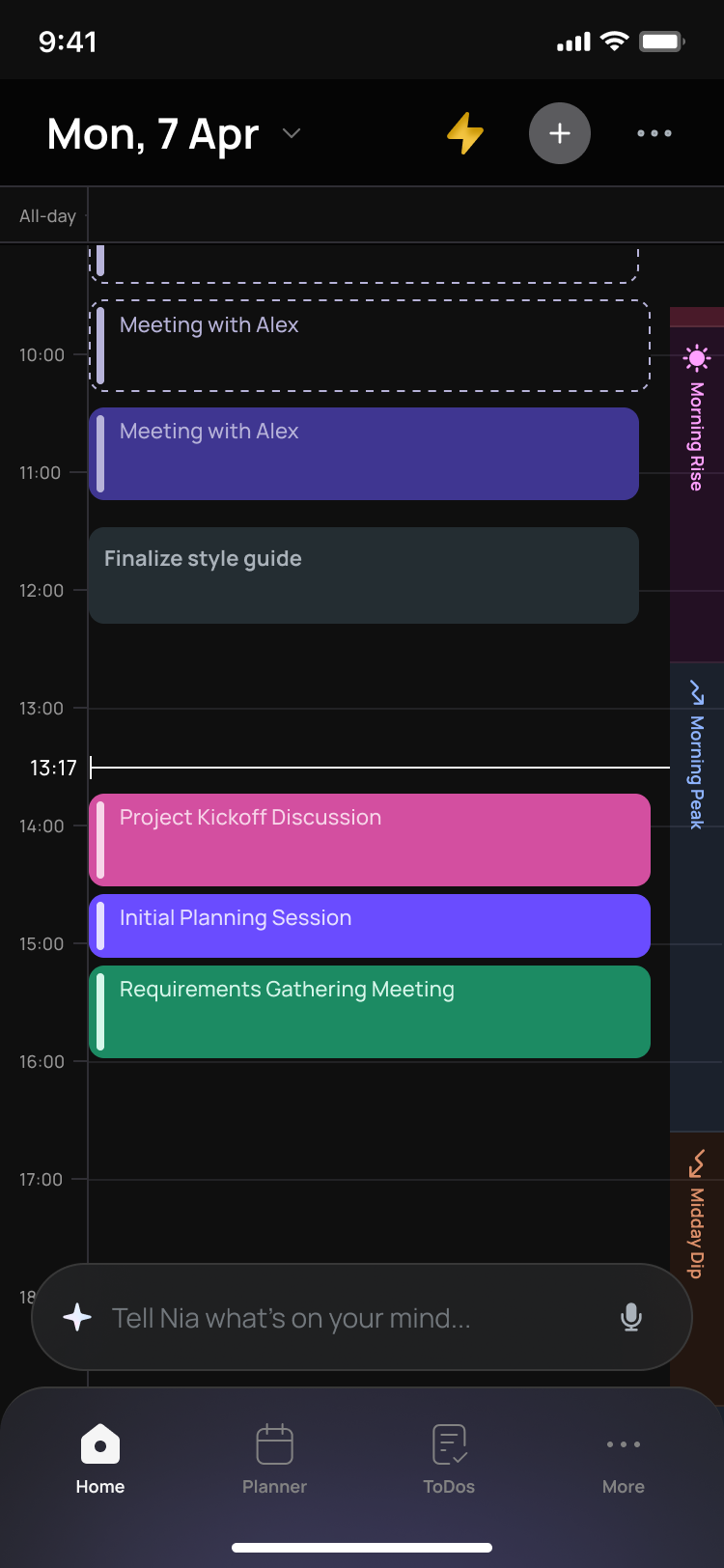
Two features carry the thesis. Breakdown turns a vague task like "prepare for presentation" into concrete steps, so starting costs less. And restart: Rivva expects you to fall off, so a missed day never reads as failure.
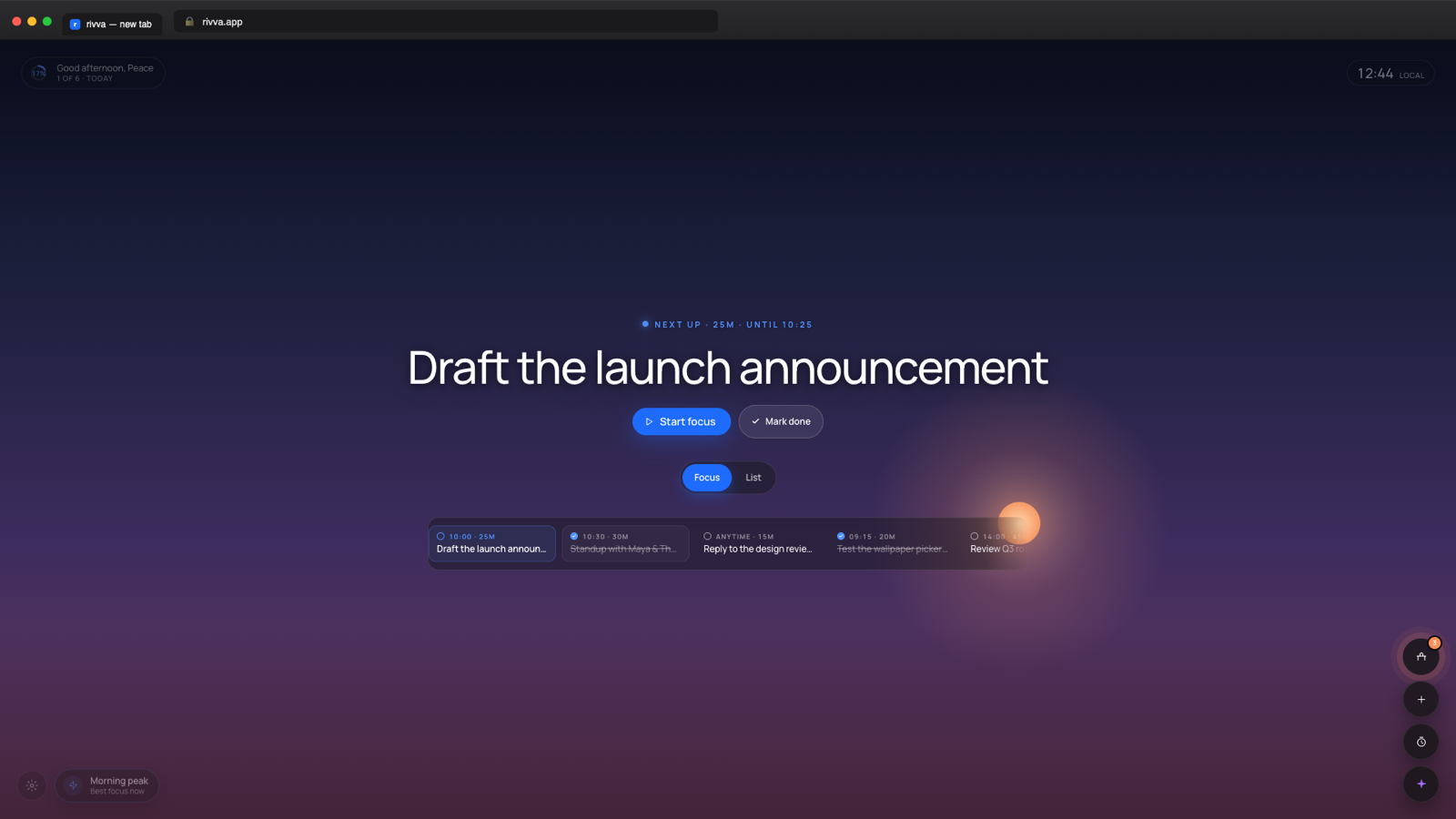
Executive function does not fail only on your phone. Rivva met people where the day actually happens: iOS and Android, a web app, and a browser extension that turns every new tab into a calm focus surface and lets you capture a page, an email or a message into a task without breaking focus.
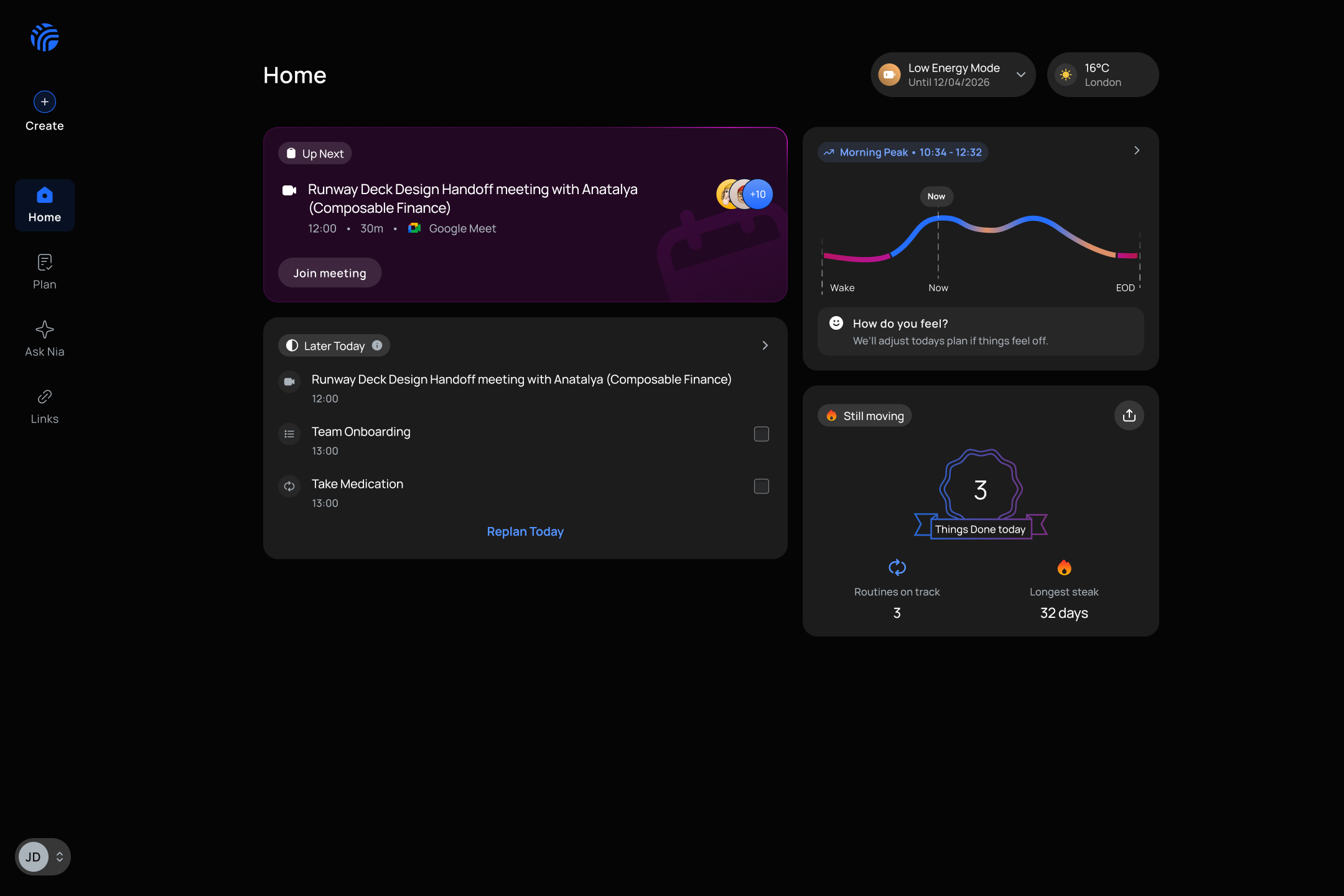
Email is where most follow-ups get lost, so Rivva watches the inbox for requests that need action and turns them into tasks or events, without reading everything or acting without a clear confirm step.
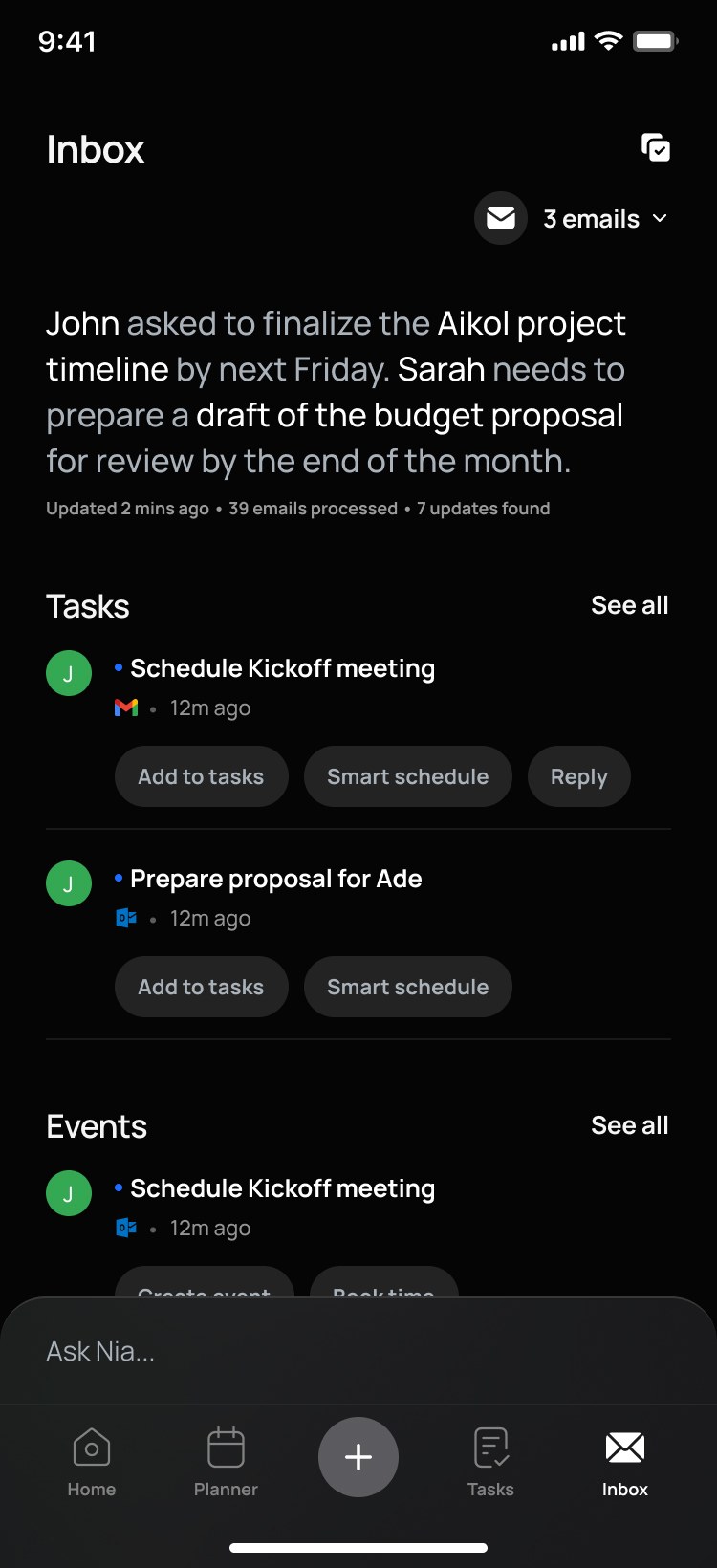
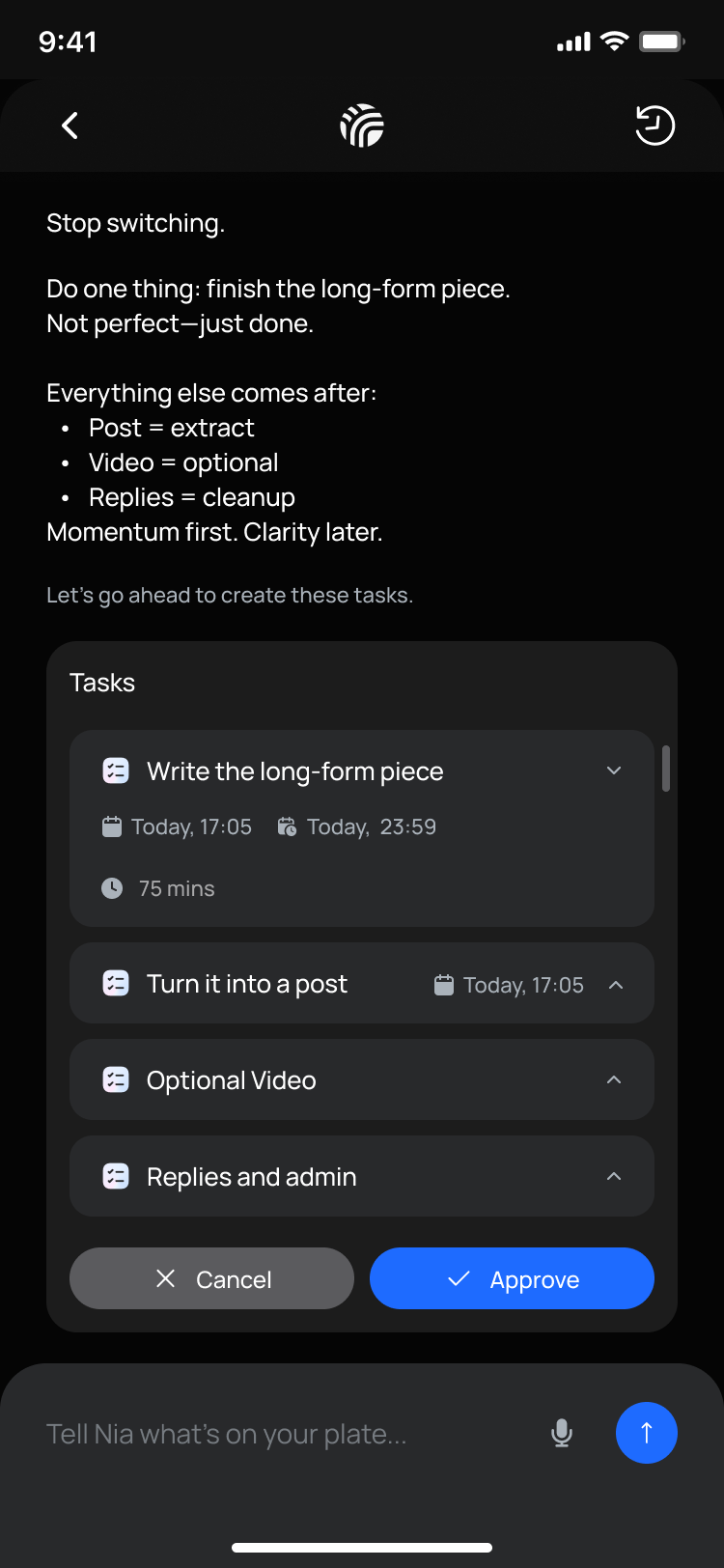
Nia could also take real actions with a clear confirm step, like drafting a meeting invite and waiting for your go-ahead before it touched your calendar.
Every productivity tool on the market presupposes the exact capability our users lacked: the executive function to plan, prioritise and restart. So Nia was never a chatbot bolted onto a task app. It was the planning engine. You could create tasks in plain language, hand it an overwhelming project and get it back as steps, and replan the whole day when something slipped.
I made Nia visually unmistakable. I reserved purple in the design system exclusively for Nia surfaces. Focus timers, CTAs, pills, everything else was blue. If you saw purple, you were in AI territory. For people who already struggle with context, knowing instantly whether you are talking to the system or to the AI is not decoration, it is orientation.
The voice was a rule, not a tone. Adults with ADHD carry years of shame from abandoned systems, so Nia's language was chunked, warm and shame-free by spec: no exclamation marks, no "you didn't finish", no blame framing. Onboarding read "When something shifts, plans slip. That's not on you." Every empty state and nudge went through the same filter, including the moments when Nia got something wrong.
Nia proposed, the user approved. Breakdowns and replans were suggestions you could edit, never plans that committed themselves. When the machine can act, the design job is deciding what it may do on its own, and making the moment of control impossible to miss.
Nia was also the conversion engine, deliberately: our usage-based upgrade triggers were tied to Nia moments, a replanned day or a breakdown that landed, because that is where the product proved itself. I got the timing wrong.
What I chose, and what I gave up. We had put the paywall straight after onboarding, before a user had a single Nia interaction. Same-day trial cancellations told us why: we were charging for relief nobody had felt yet. I moved the paywall to trigger after the first meaningful Nia moment and rebuilt the copy around experienced value. It costs you the people who would have converted on the promise alone, and it delays the ask. I took that trade.
By the time we wound down, 25% of trials converted to paid, with zero paid acquisition. 200 people paid for Rivva without a penny spent reaching them.
The honest scale: about 102 paying users and roughly $1,011 in MRR over the period I analysed, growing to about 200 paid and $2K MRR by the time we wound down, across 30+ countries. Small either way. The funnel improved while I was there, signup to trial from 51% to 60% and trial to paid from 18.5% to 23.5%, and I ran pricing experiments across weekly, monthly and yearly plans to find what actually converted. As the onboarding and loop changes landed, day-7 and day-30 retention were trending up. At this size a percentage swings on a handful of people, so I read all of it as encouraging signal, not proof. The number that taught me the most was still the one that went down.
We proved the core loop retained people, then found the market was too small to fund at the price we could charge. If I ran it again I would test willingness to pay far earlier, in parallel with activation, instead of trusting that strong retention would translate into a fundable business. Good retention and a good market are two separate bets, and we validated one much harder than the other.
When the signals did not support more investment, we wound Rivva down cleanly in May 2026, subscribers handled properly and data respected. Two things I keep: measure the cause of retention and build straight at it, and that designing for the most constrained users, low load, high predictability, real help, makes a better product for everyone.